> ## Documentation Index
> Fetch the complete documentation index at: https://docs.yumiproxy.com/llms.txt
> Use this file to discover all available pages before exploring further.
# YumiProxy-Unlimited Residential Proxies (Bandwidth)-Parameter
#### 1、How to Purchase Unlimited Residential Proxy (Bandwidth)
\
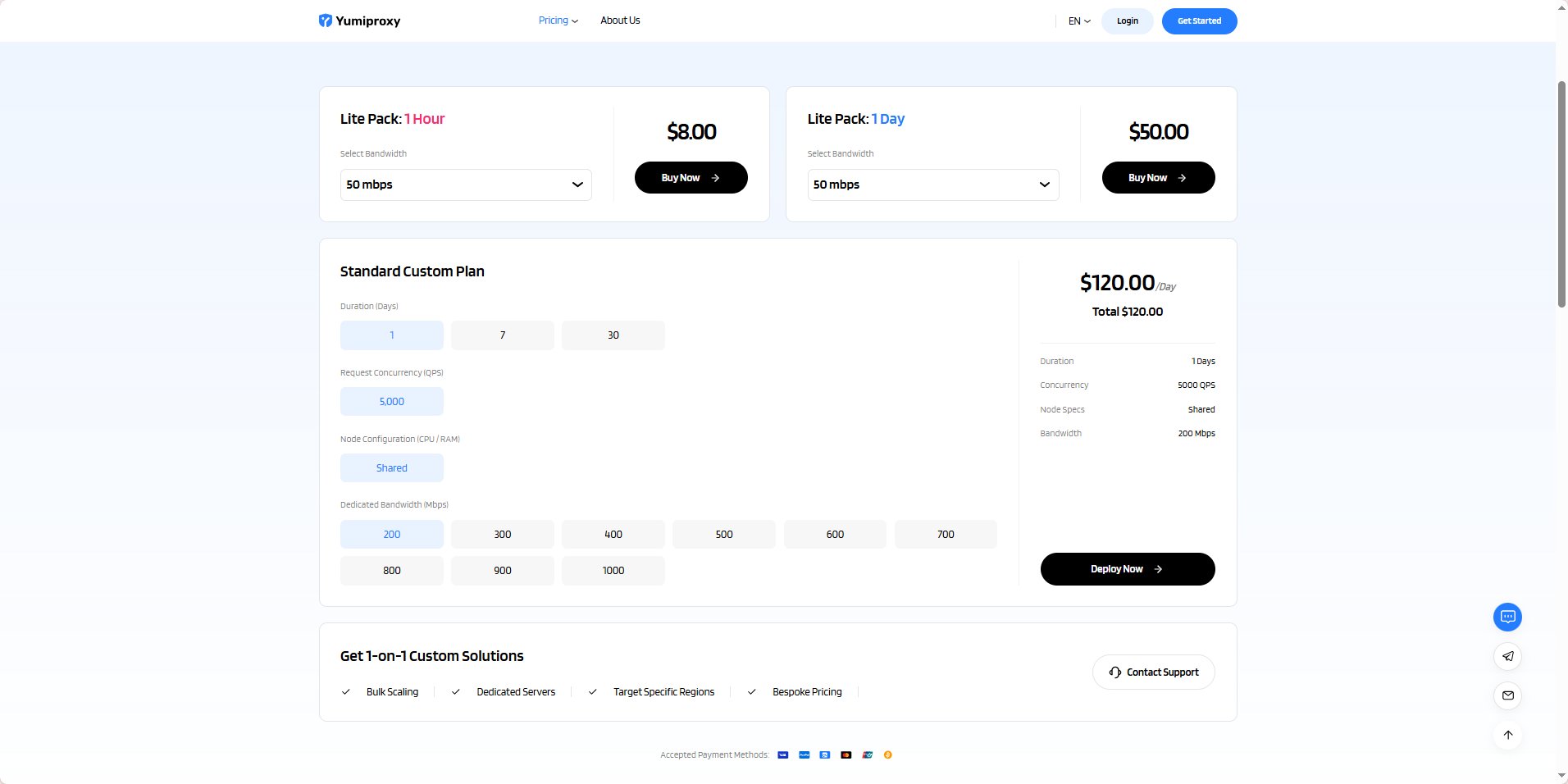
Open the Unlimited Residential Proxy (Bandwidth) page on the YumiProxy official website: [YumiProxy-Unlimited Residential Proxies (Bandwidth)](https://www.yumiproxy.com/pricing/unlimited-bandwidth)
 #### 2、Make Payment
\
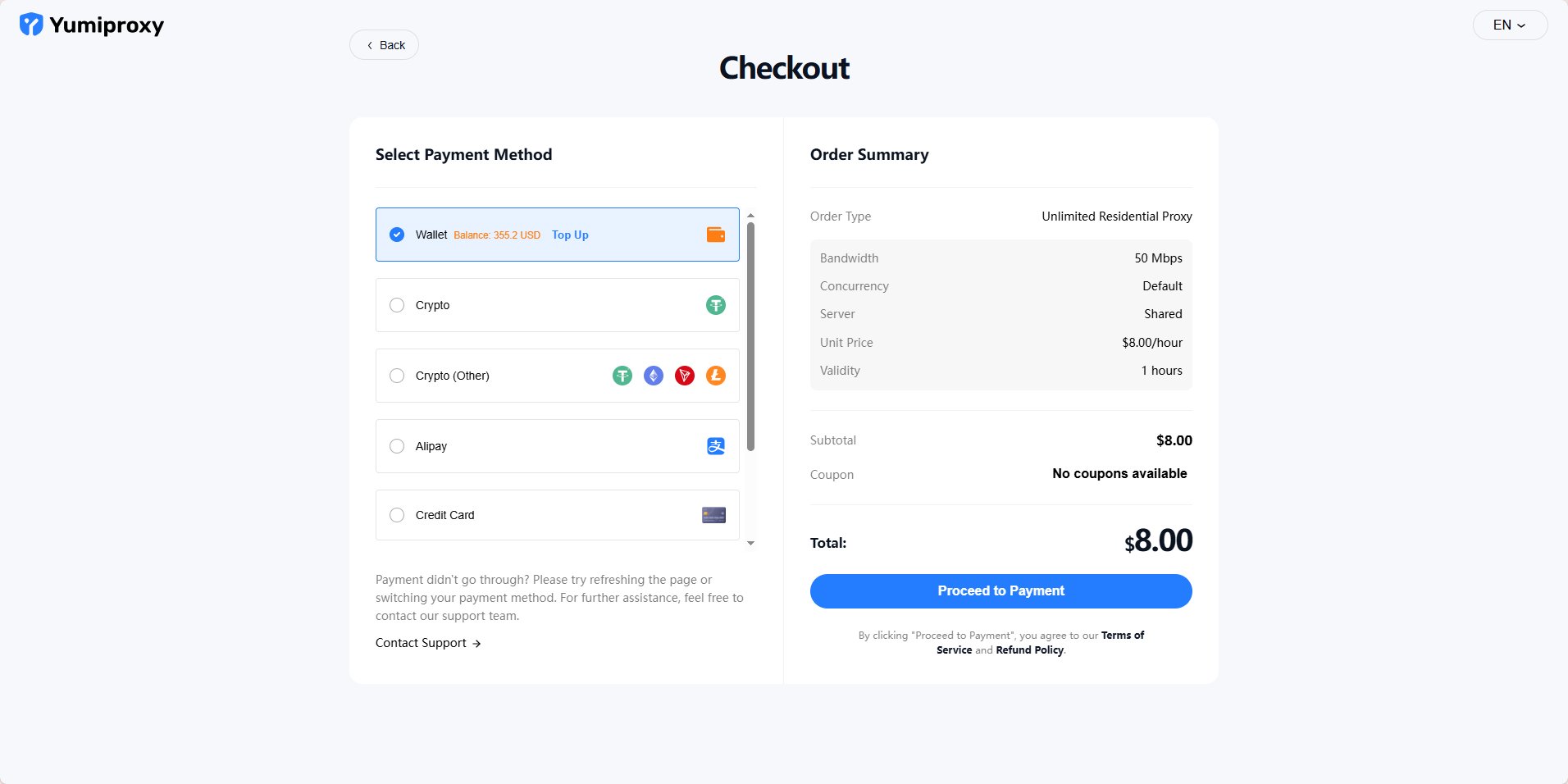
Click "Buy Now" and you will be redirected to the payment page, where you can choose your payment method to complete the payment.
#### 2、Make Payment
\
Click "Buy Now" and you will be redirected to the payment page, where you can choose your payment method to complete the payment.
 #### \\
3、Parameter Extraction
\
After successful payment, click "Start Using" and you will be redirected to the console.\
On the "Get Proxy" page in the console, you can see the information for the various packages you have purchased.
#### \\
3、Parameter Extraction
\
After successful payment, click "Start Using" and you will be redirected to the console.\
On the "Get Proxy" page in the console, you can see the information for the various packages you have purchased.
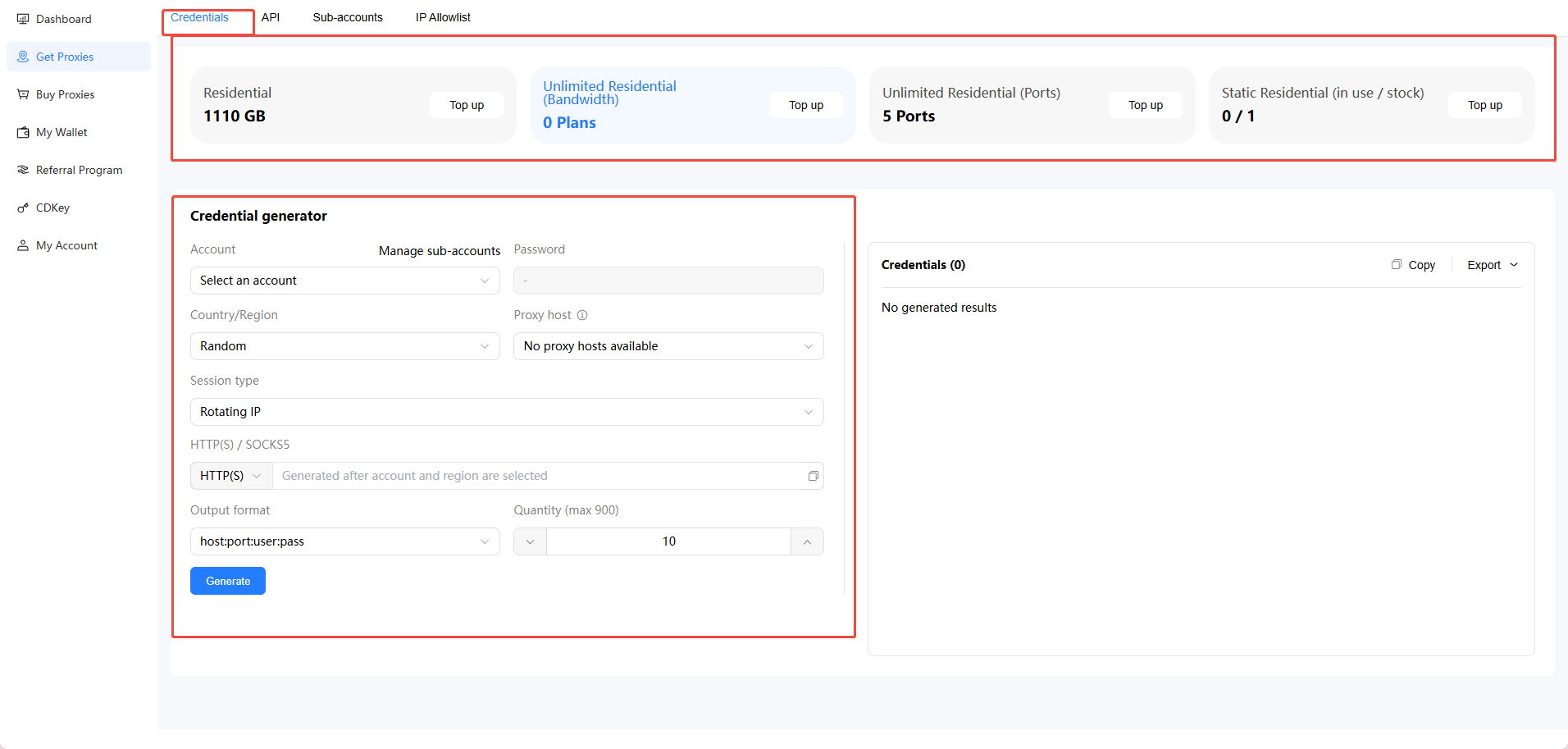 \
① In the first circled area in the image above, select the package you wish to extract. Currently, we are extracting the Unlimited Residential Proxy. If you need to extract another package, please click on the corresponding package.\
② In the second circled area in the image above, set the parameters for residential proxy extraction. You may select your username (one registered email can create multiple sub‑accounts in the Account/Password Management section above), region, state/province/city, ASN, session type (sticky/rotation), output format, etc.
Rotation and Sticky Sessions:
* Rotating IP: The IP changes with each request (e.g., refresh, navigation).
* Sticky IP: The IP can be maintained for a certain period of time, which is random. Users can set a rotation time between 5 and 180 minutes, and the IP can be rotated automatically.
In Sticky IP, what does "Change IP in Advance" mean?
* When "Change IP in Advance" is turned on, if this IP goes online before the set time, the system will automatically assign a new IP and restart the timer.
* When "Change IP in Advance" is turned off, if this IP goes online before the set time, the system will not automatically assign a new IP; the IP will only be changed when the preset time is reached.
API Extraction\
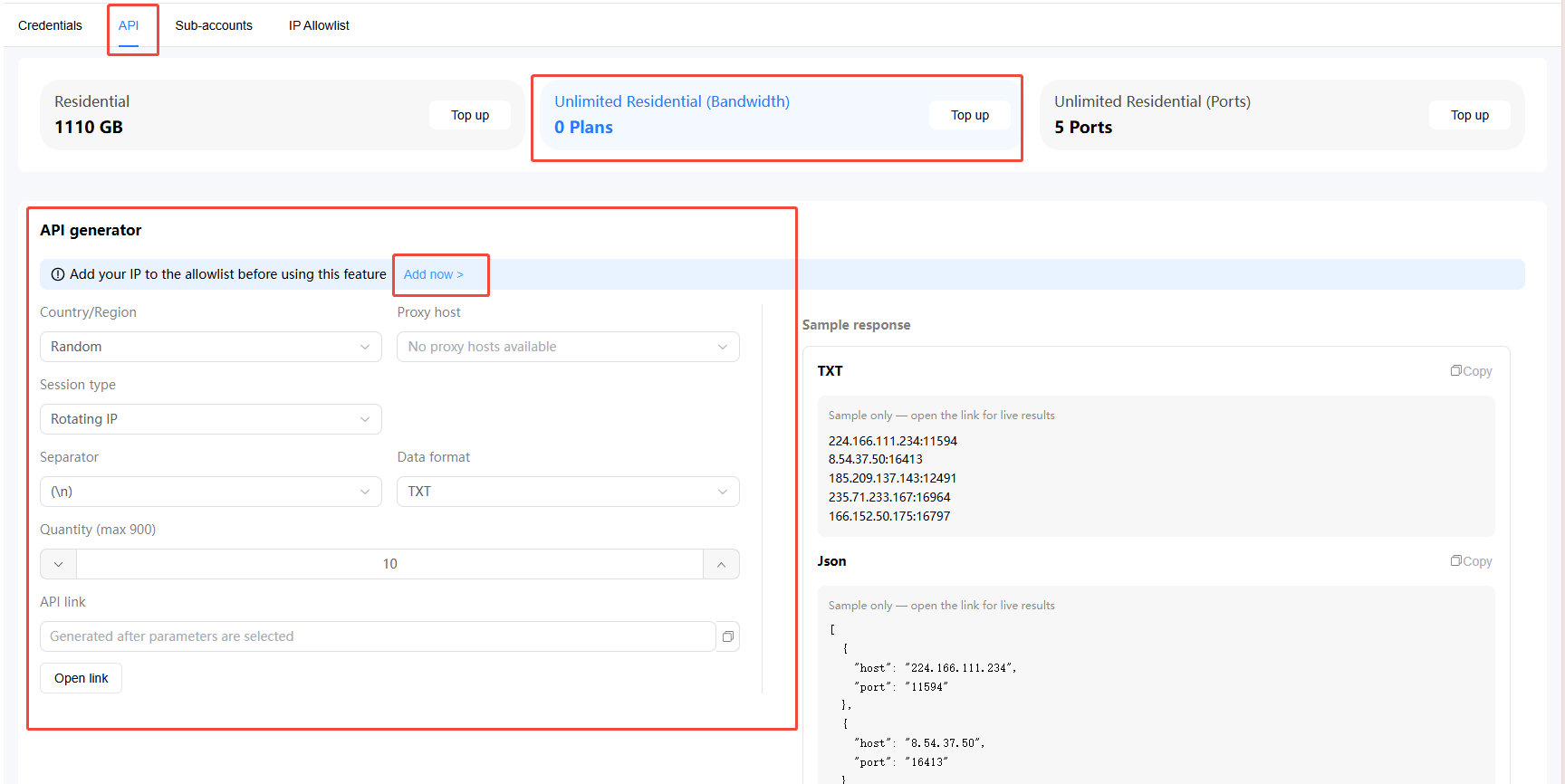
When you choose to use the API extraction method, you must add the IP whitelist. The relevant configuration information is the same as the account/password extraction described above.
\
① In the first circled area in the image above, select the package you wish to extract. Currently, we are extracting the Unlimited Residential Proxy. If you need to extract another package, please click on the corresponding package.\
② In the second circled area in the image above, set the parameters for residential proxy extraction. You may select your username (one registered email can create multiple sub‑accounts in the Account/Password Management section above), region, state/province/city, ASN, session type (sticky/rotation), output format, etc.
Rotation and Sticky Sessions:
* Rotating IP: The IP changes with each request (e.g., refresh, navigation).
* Sticky IP: The IP can be maintained for a certain period of time, which is random. Users can set a rotation time between 5 and 180 minutes, and the IP can be rotated automatically.
In Sticky IP, what does "Change IP in Advance" mean?
* When "Change IP in Advance" is turned on, if this IP goes online before the set time, the system will automatically assign a new IP and restart the timer.
* When "Change IP in Advance" is turned off, if this IP goes online before the set time, the system will not automatically assign a new IP; the IP will only be changed when the preset time is reached.
API Extraction\
When you choose to use the API extraction method, you must add the IP whitelist. The relevant configuration information is the same as the account/password extraction described above.