> ## Documentation Index
> Fetch the complete documentation index at: https://docs.yumiproxy.com/llms.txt
> Use this file to discover all available pages before exploring further.
# Windows 10
**Before integrating a proxy into Windows 10, ensure that the proxy service has been correctly configured and is functioning properly.**
The specific steps are as follows:
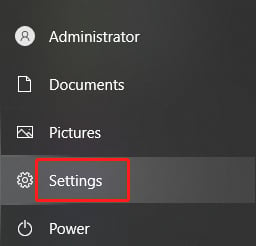
1. Click the **Start** menu (Windows icon) and select **Settings** (gear icon) from the pop-up menu.
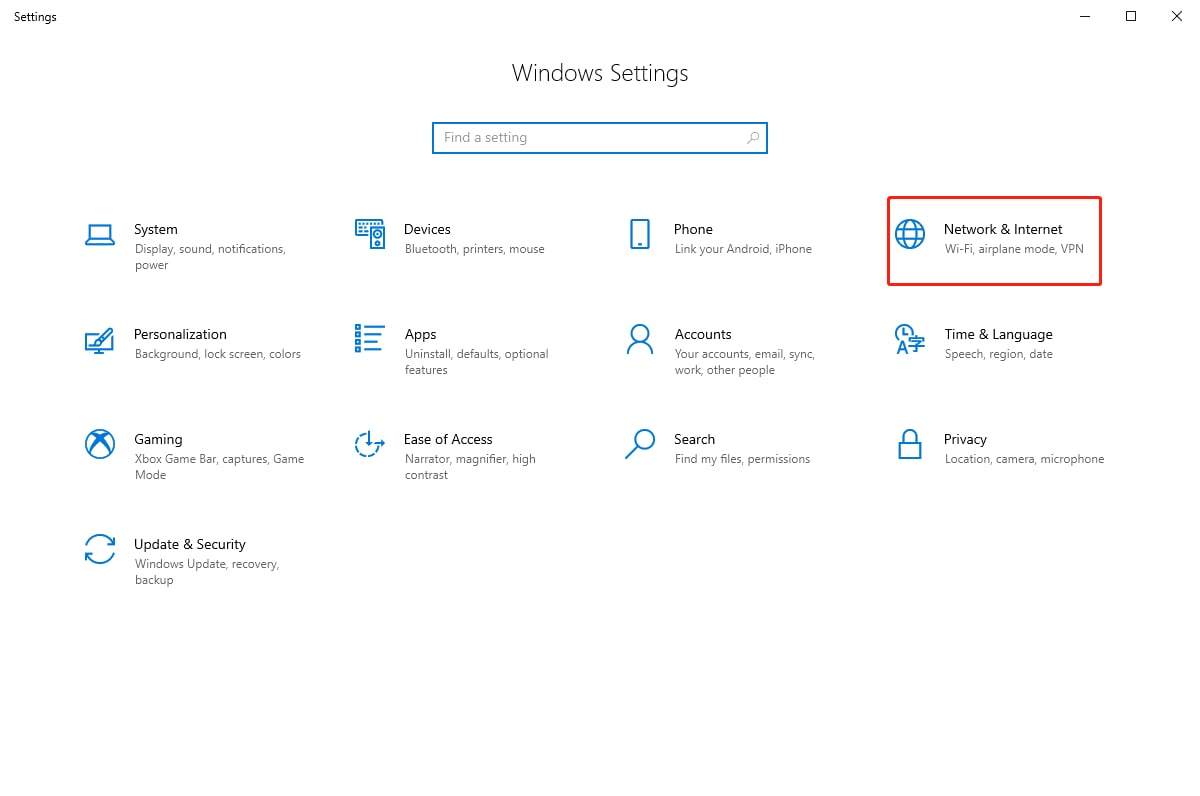
 2. In the Settings window, click **Network & Internet**.
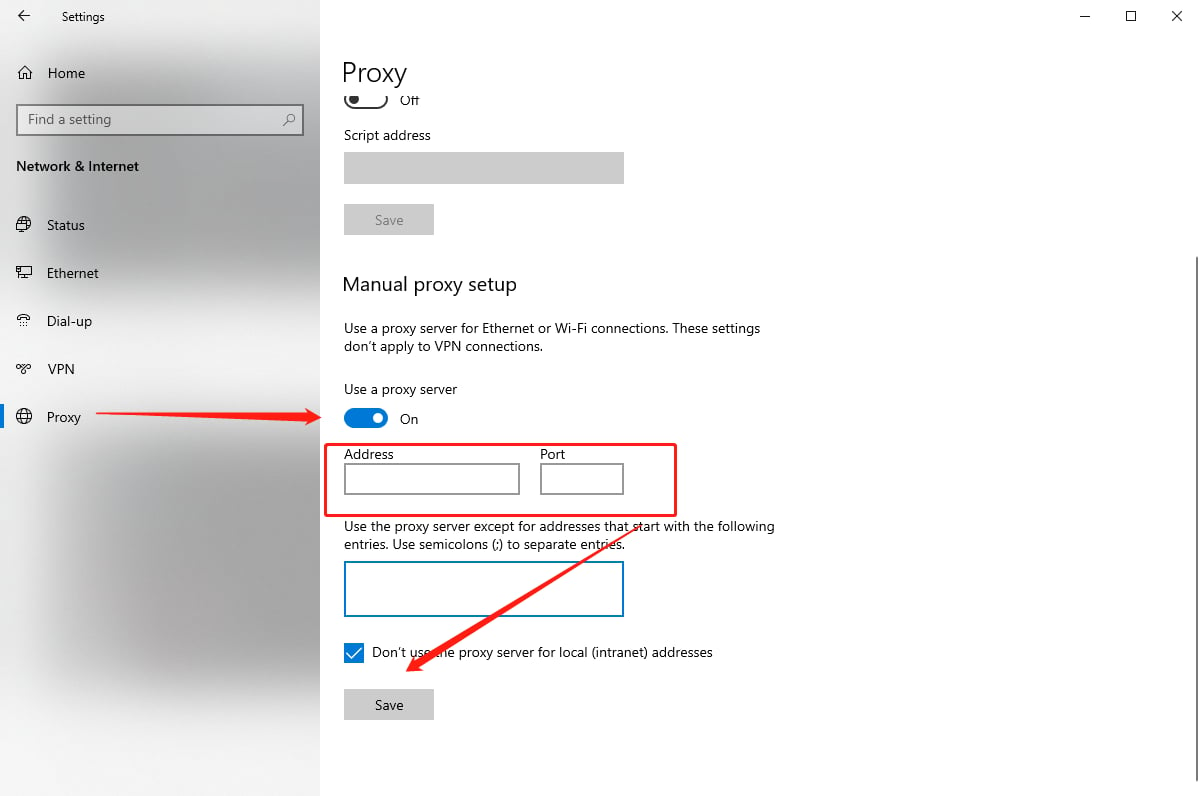
 3. On the Network & Internet page, select **Proxy** from the left navigation pane. On the right side, turn on the **Use a proxy server** toggle, enter the proxy server address and port number, and then click **Save** to apply the changes.
 4. After configuration, access an IP detection website through your browser. If the displayed current IP address matches the configured proxy IP, the proxy setup is successful.
By following the above steps, you will successfully complete the integration of Windows 10 with the proxy, providing a more secure and flexible option for your network connection.
**If you have any questions or suggestions while using our service, please don’t hesitate to reach out. We’d love to hear your feedback and are always happy to help.**
4. After configuration, access an IP detection website through your browser. If the displayed current IP address matches the configured proxy IP, the proxy setup is successful.
By following the above steps, you will successfully complete the integration of Windows 10 with the proxy, providing a more secure and flexible option for your network connection.
**If you have any questions or suggestions while using our service, please don’t hesitate to reach out. We’d love to hear your feedback and are always happy to help.**