> ## Documentation Index
> Fetch the complete documentation index at: https://docs.yumiproxy.com/llms.txt
> Use this file to discover all available pages before exploring further.
# VMLogin
**Before configuration, please obtain an IP from YumiProxy first and ensure the proxy settings are correct to guarantee normal operation.**
1. Open VMLogin and enter your account and password (if you don't have one, click **Register New Account**).
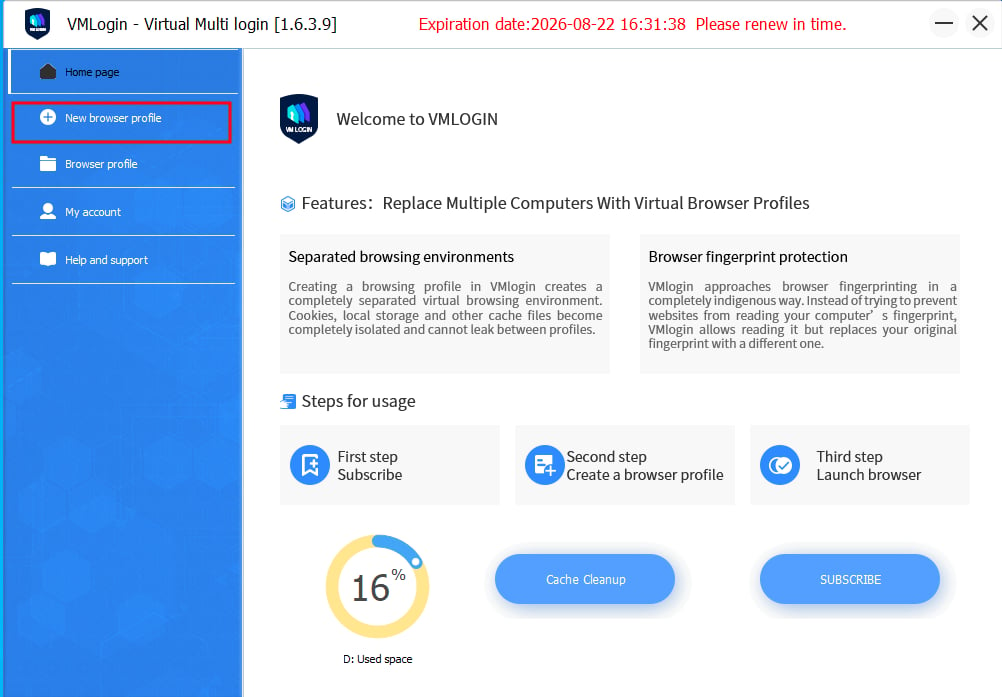
2. After successful login, click **New Browser Profile** in the left navigation bar.
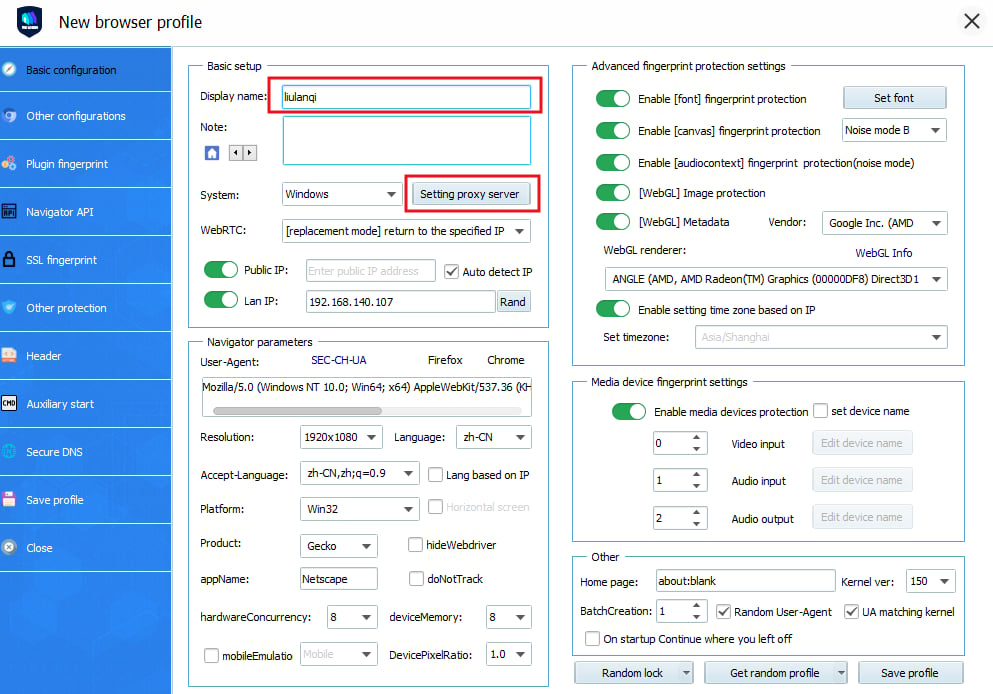
 3. Add your desired display name on the new browser profile page, and click **Set Proxy Server**.
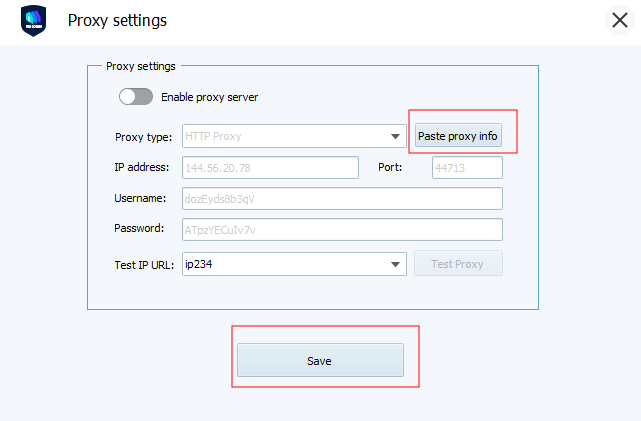
 4. Check **"Enable proxy server"**, fill in the IP address and port with the IP address you just obtained from **YumiProxy**, and click **"Save".**
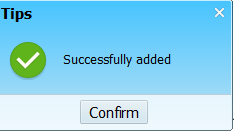
 5. After saving, a pop-up will appear indicating whether the configuration was successful.
 After completing the above steps, you can now use YumiProxy's proxy to access web pages in VMLogin.
**If you have any questions or suggestions during use, please feel free to contact us. We are happy to hear your ideas and provide assistance.**
After completing the above steps, you can now use YumiProxy's proxy to access web pages in VMLogin.
**If you have any questions or suggestions during use, please feel free to contact us. We are happy to hear your ideas and provide assistance.**