> ## Documentation Index
> Fetch the complete documentation index at: https://docs.yumiproxy.com/llms.txt
> Use this file to discover all available pages before exploring further.
# BitBrowser
**To configure YumiProxy in BitBrowser, simply follow these steps:**
1. First, download and install BitBrowser on your device.
2. Open it and register or log in to your account.
3. Go to the **Browser Profiles** section and click the **+ Add** button to add a new profile.
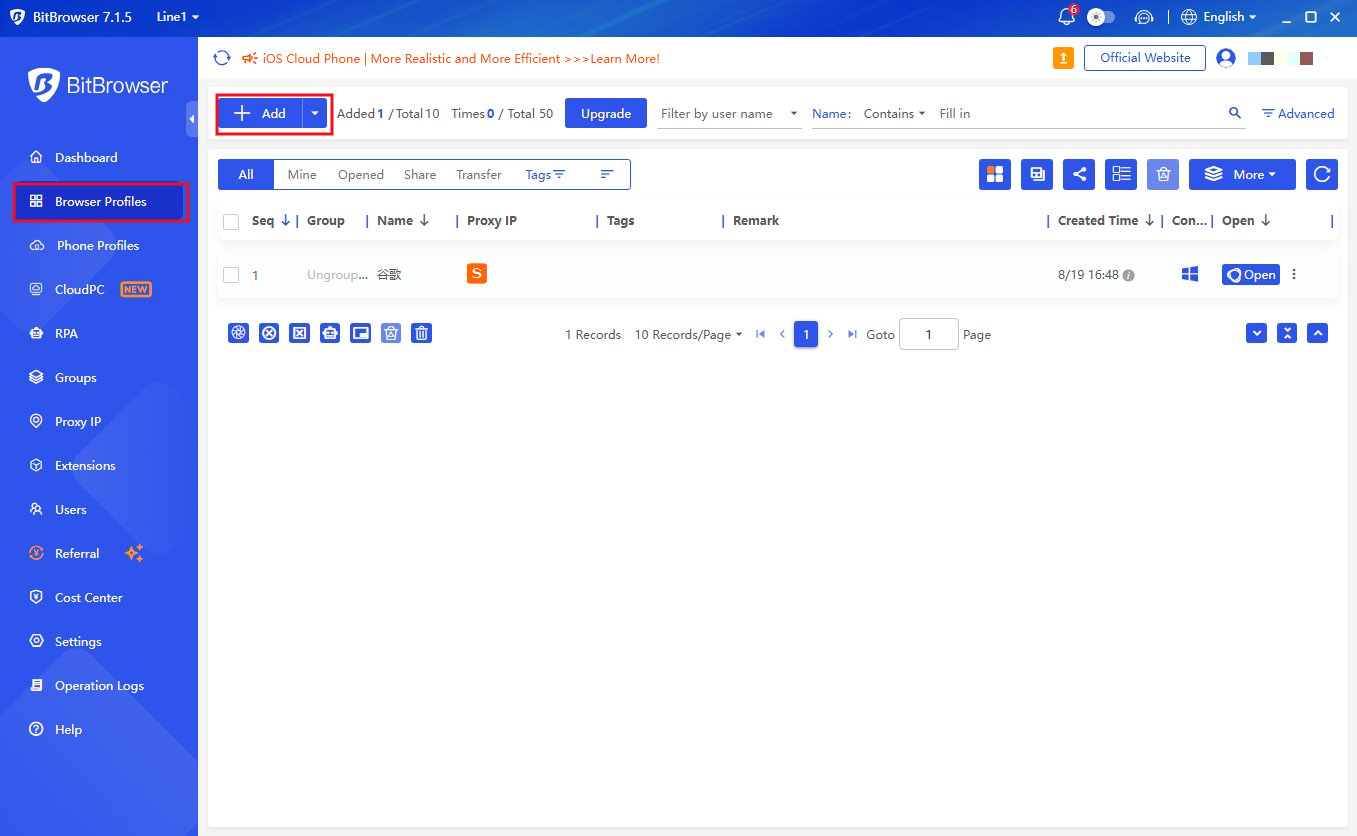 4. In the **Basic** section, specify your profile name and any other information if needed.
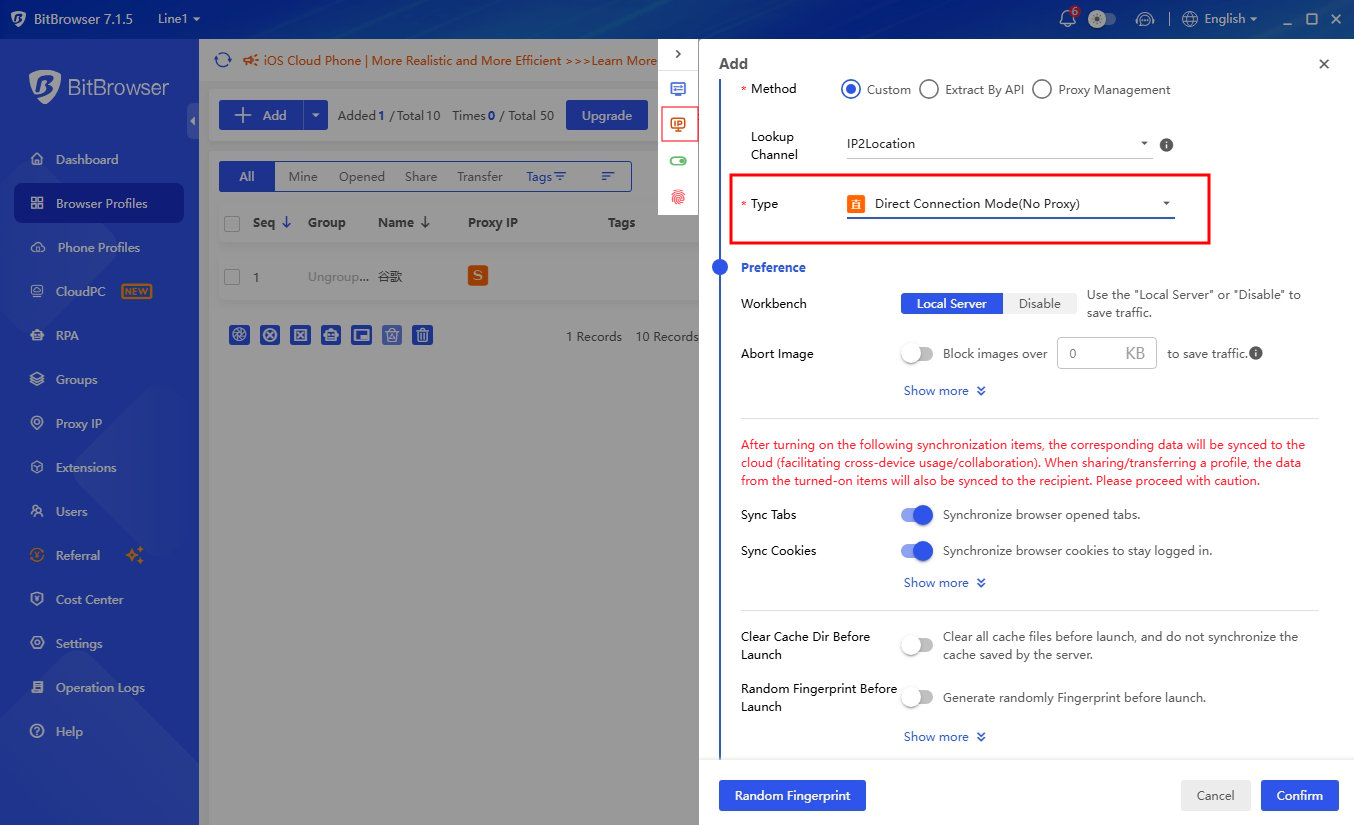 5. Next, scroll down a bit. In the **Proxy** section, fill in all necessary information for the proxy connection, including username and password.
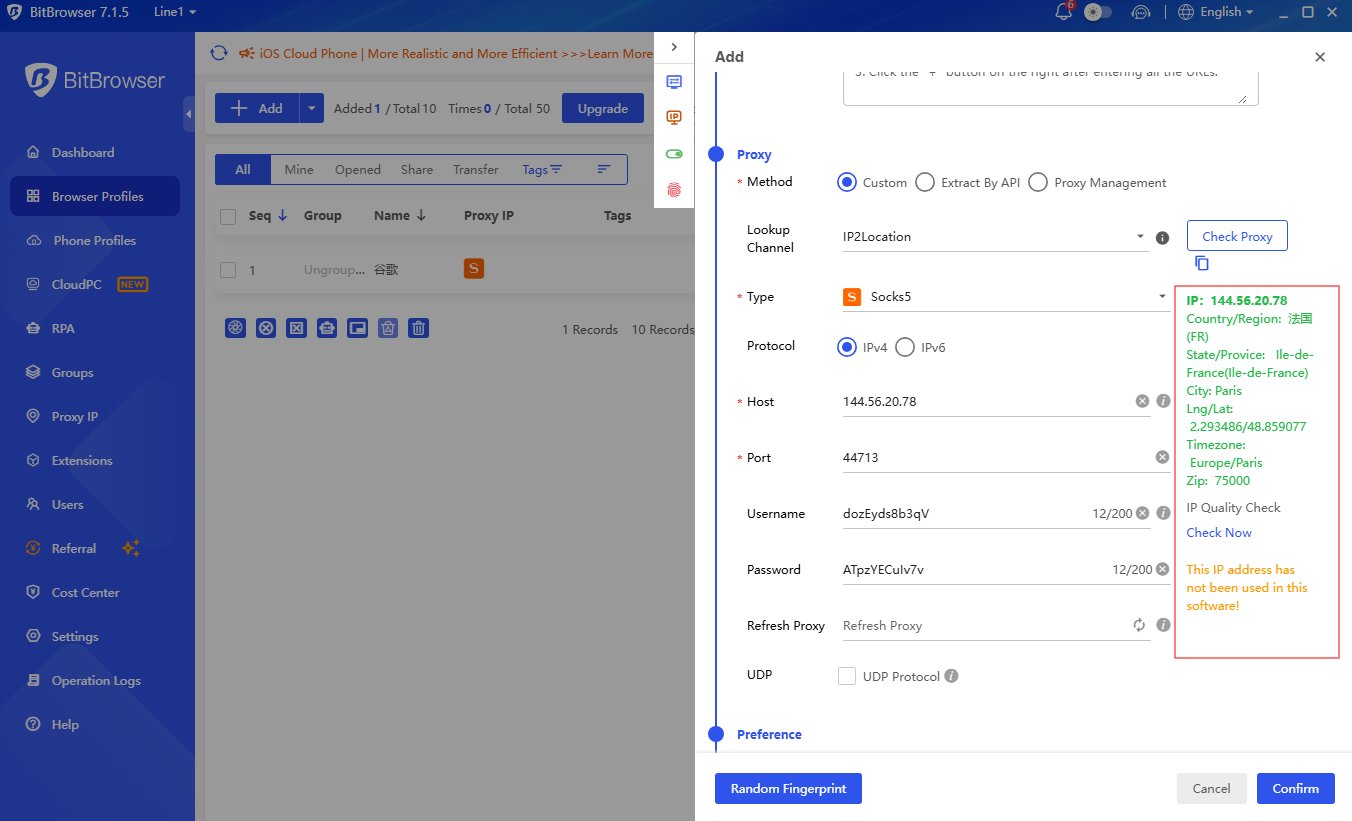
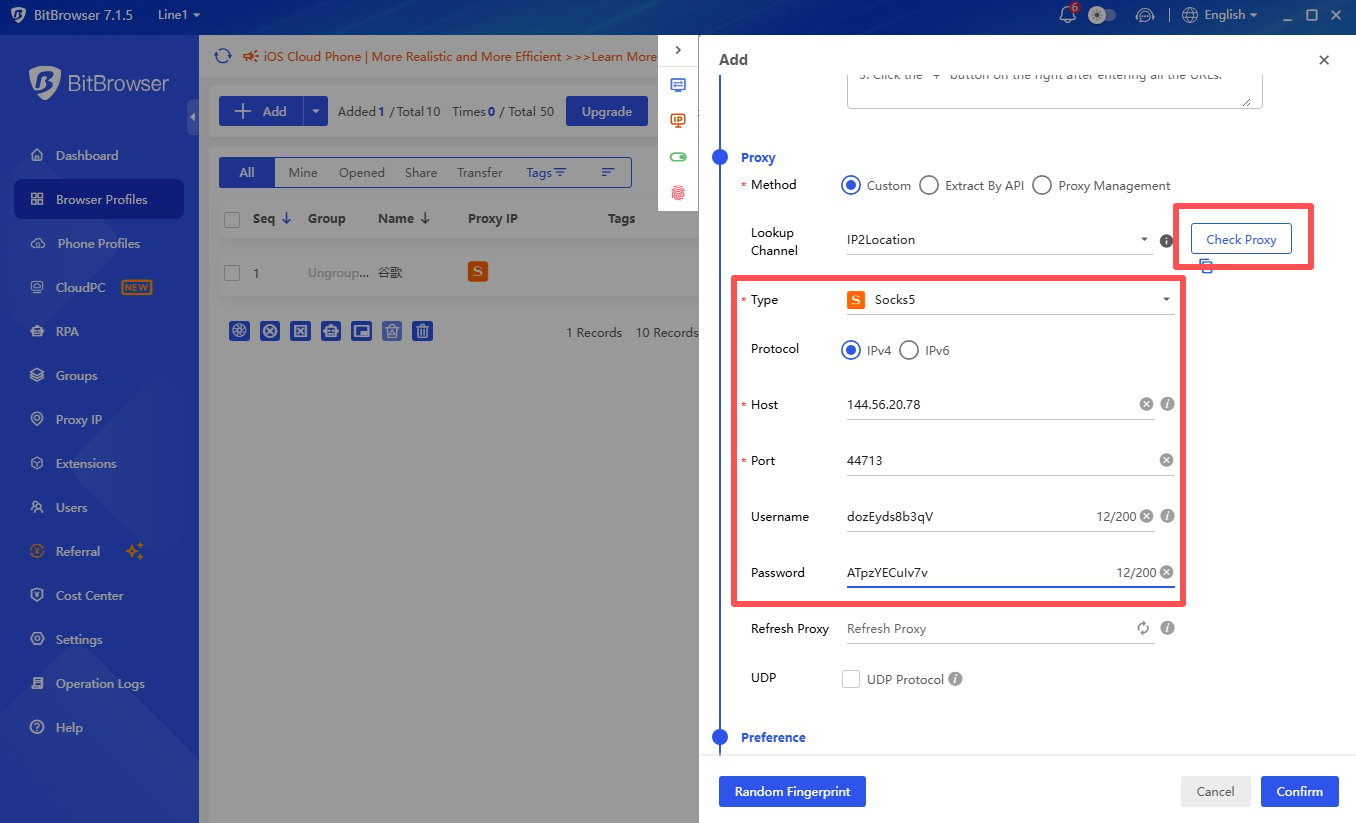 6. After filling in all proxy connection details, you can click the **Check Proxy** button to verify if the proxy is working properly. As a lookup channel, we recommend using IP2Location.
 7. To launch the profile you created, simply click the **Open** button.
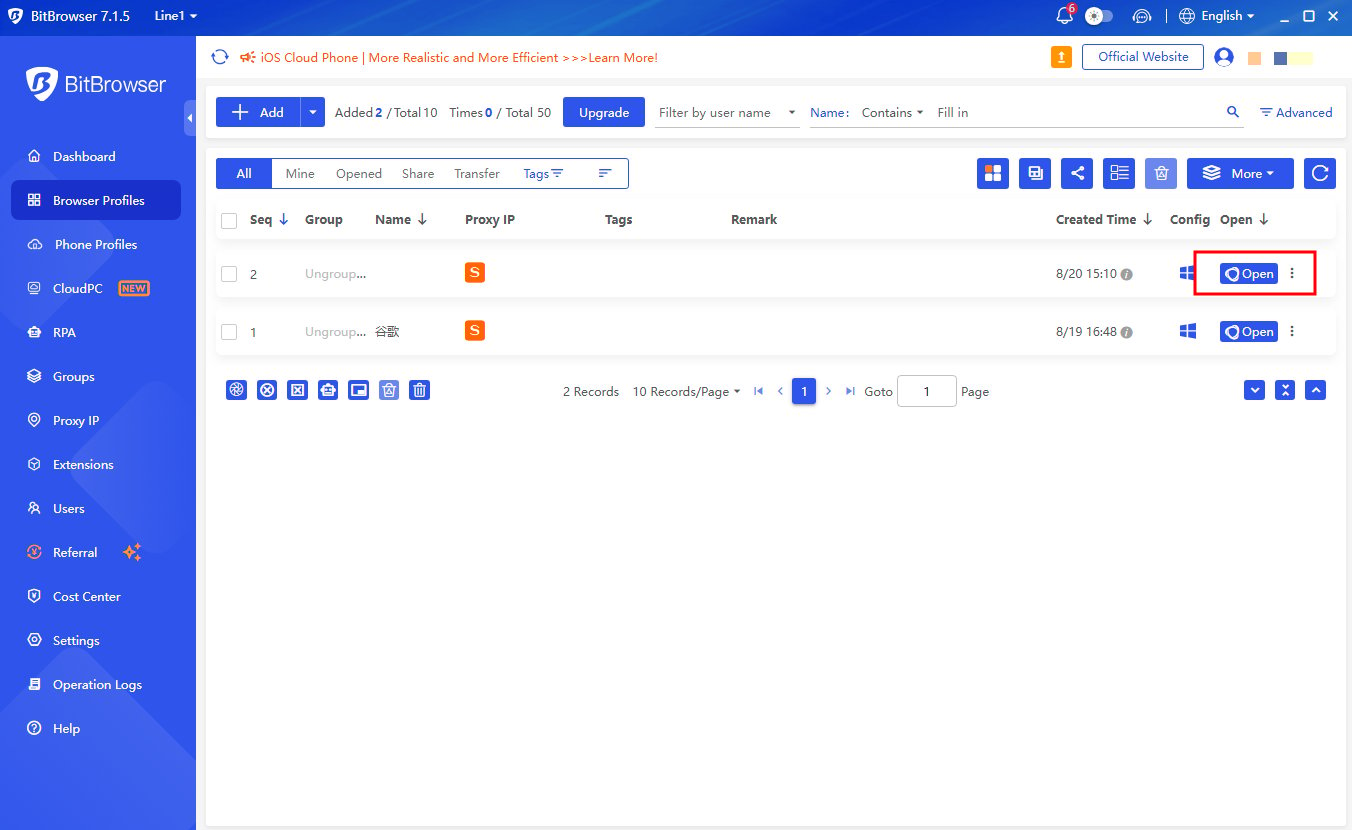 That's it! Now you can use BitBrowser for your purposes, select your desired connection location, and enhance your anonymity and security with YumiProxy.
**If you have any questions or suggestions during use, please feel free to contact us. We are happy to hear your ideas and provide assistance.**
That's it! Now you can use BitBrowser for your purposes, select your desired connection location, and enhance your anonymity and security with YumiProxy.
**If you have any questions or suggestions during use, please feel free to contact us. We are happy to hear your ideas and provide assistance.**