> ## Documentation Index
> Fetch the complete documentation index at: https://docs.yumiproxy.com/llms.txt
> Use this file to discover all available pages before exploring further.
# Incogniton
**To configure YumiProxy in RoxyBrowser, simply follow these steps:**
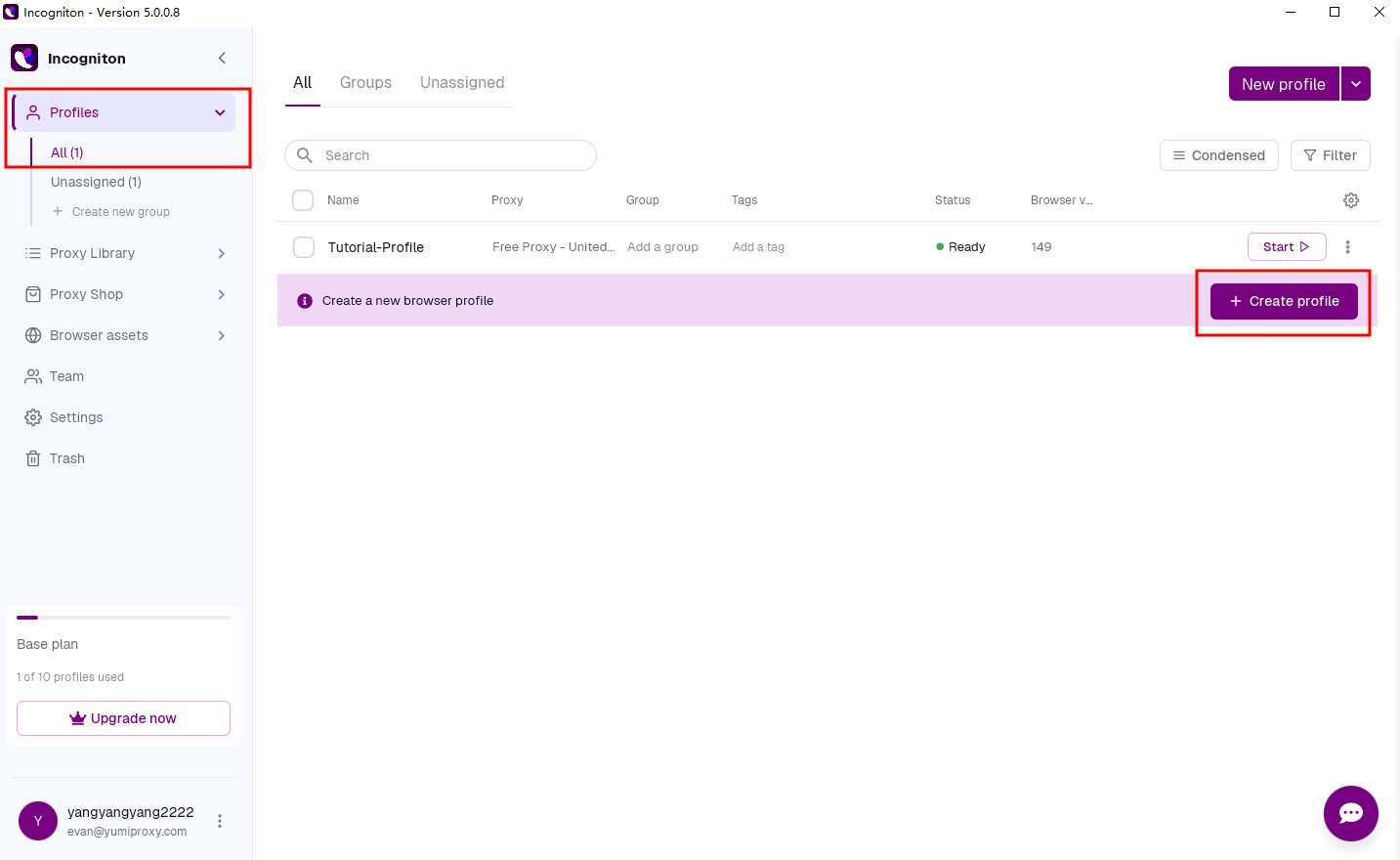
1. Open the Incogniton dashboard and click the **“Create Profile”** button to enter the profile creation page.
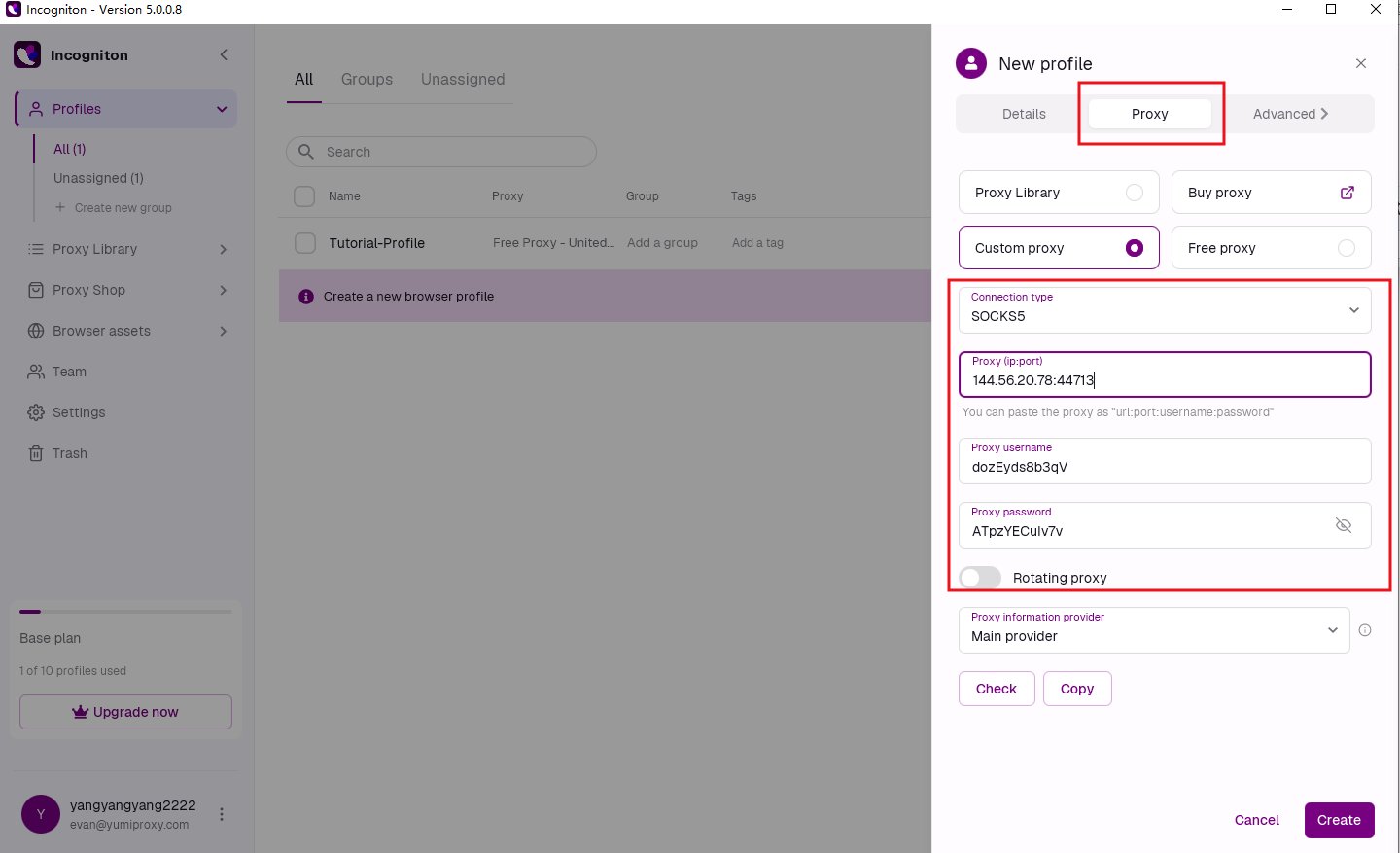
 2. Open the **“Proxy”** tab, select **“Custom Proxy”**, and enter the proxy username and password.
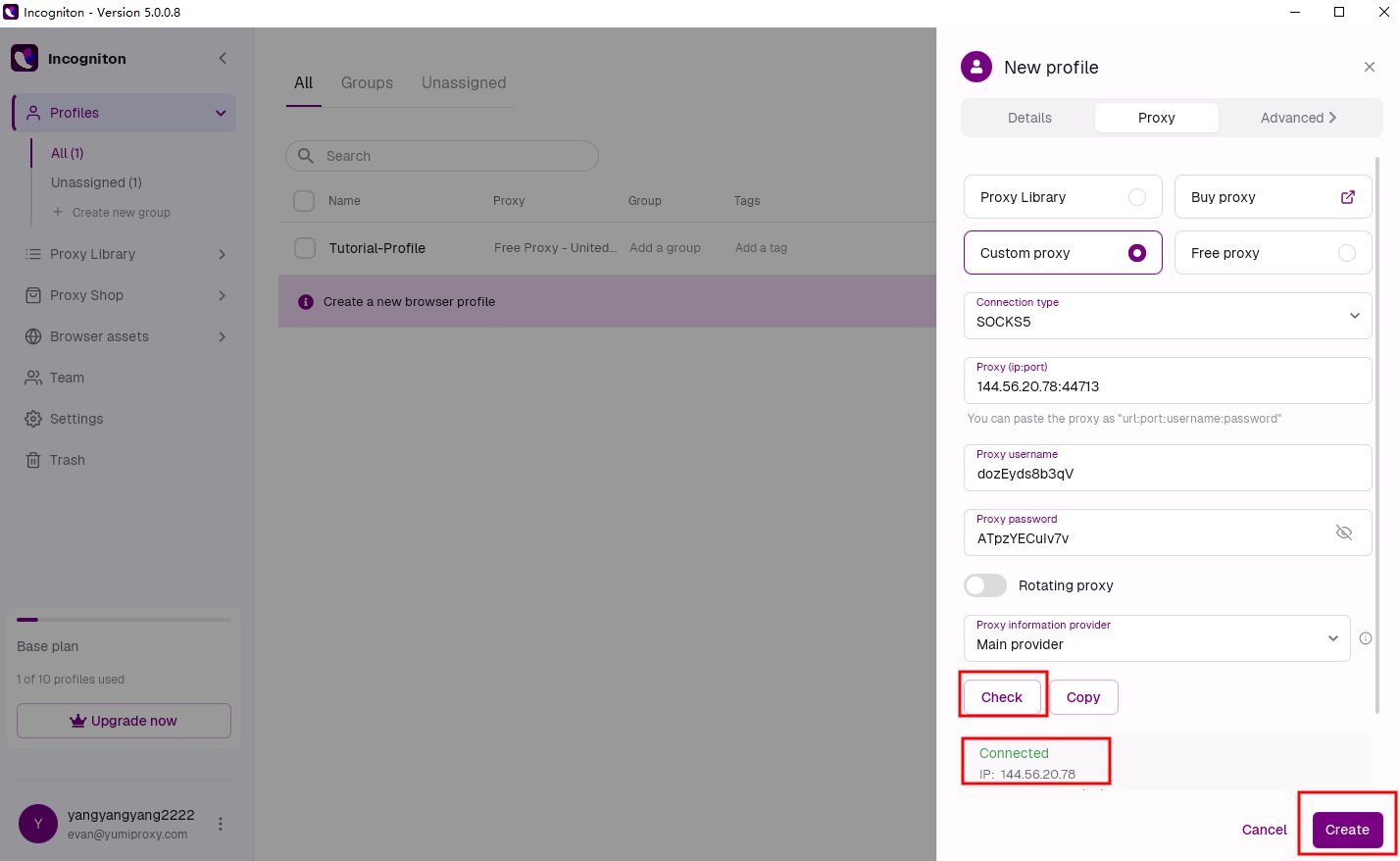
 3. After entering the proxy details, click the **“Check Proxy”** button to verify the connection. Once successful, click **“Confirm”** to save.
 4. Click the **“Launch”** button next to the profile to open a browser window with an independent digital fingerprint and proxy settings.
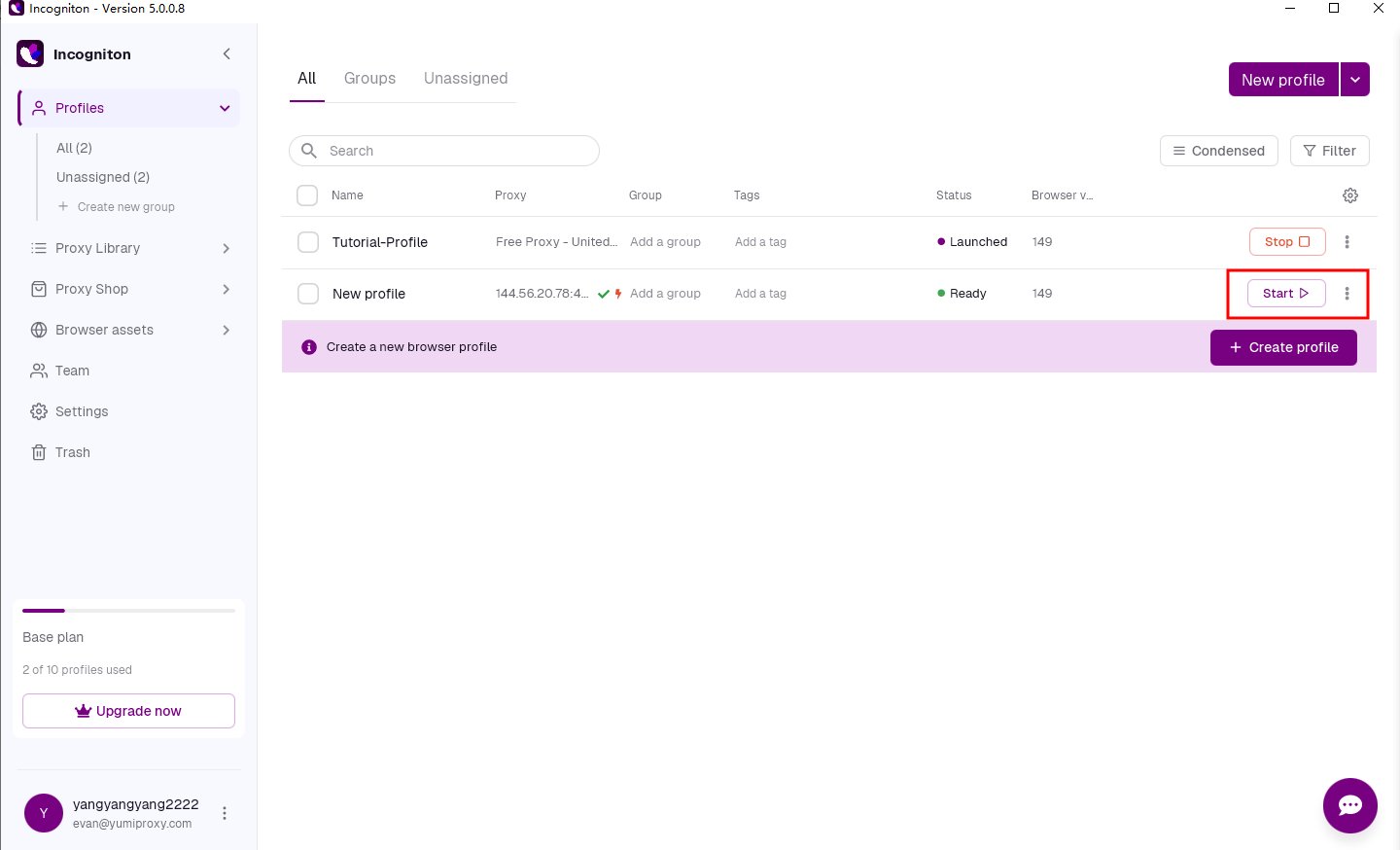 After completing the above steps, you can now use the configured proxy to access web pages in Incogniton.
**If you have any questions or suggestions during use, please feel free to contact us. We are happy to hear your feedback and provide assistance.**
After completing the above steps, you can now use the configured proxy to access web pages in Incogniton.
**If you have any questions or suggestions during use, please feel free to contact us. We are happy to hear your feedback and provide assistance.**