> ## Documentation Index
> Fetch the complete documentation index at: https://docs.yumiproxy.com/llms.txt
> Use this file to discover all available pages before exploring further.
# Multilogin
**Before configuring a proxy in Multilogin, please ensure that your proxy settings are correct to guarantee proper operation.**
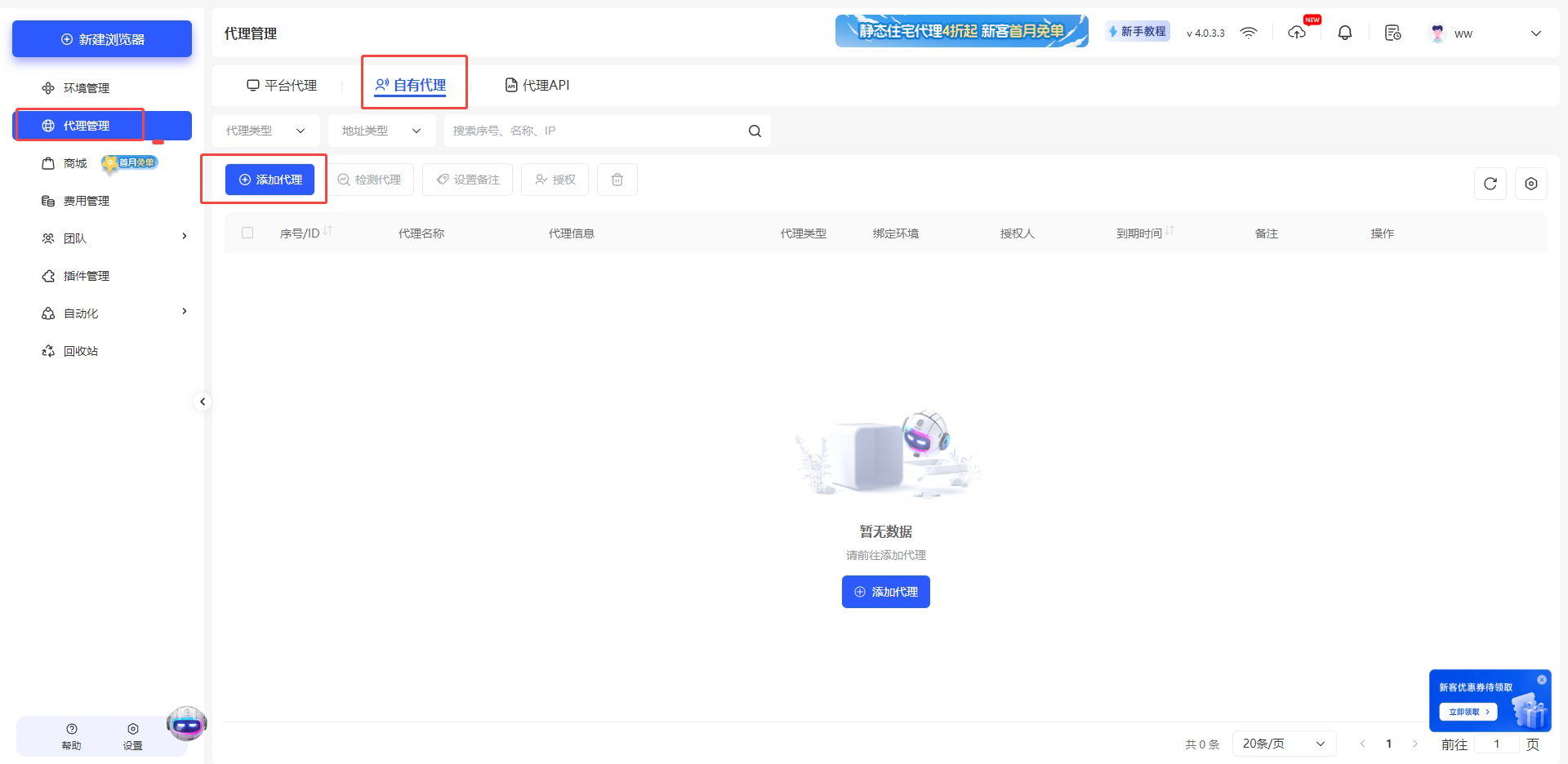
1. Open Multilogin Browser, click **Proxy Management**, and select **Own Proxy** → **Add Proxy**.
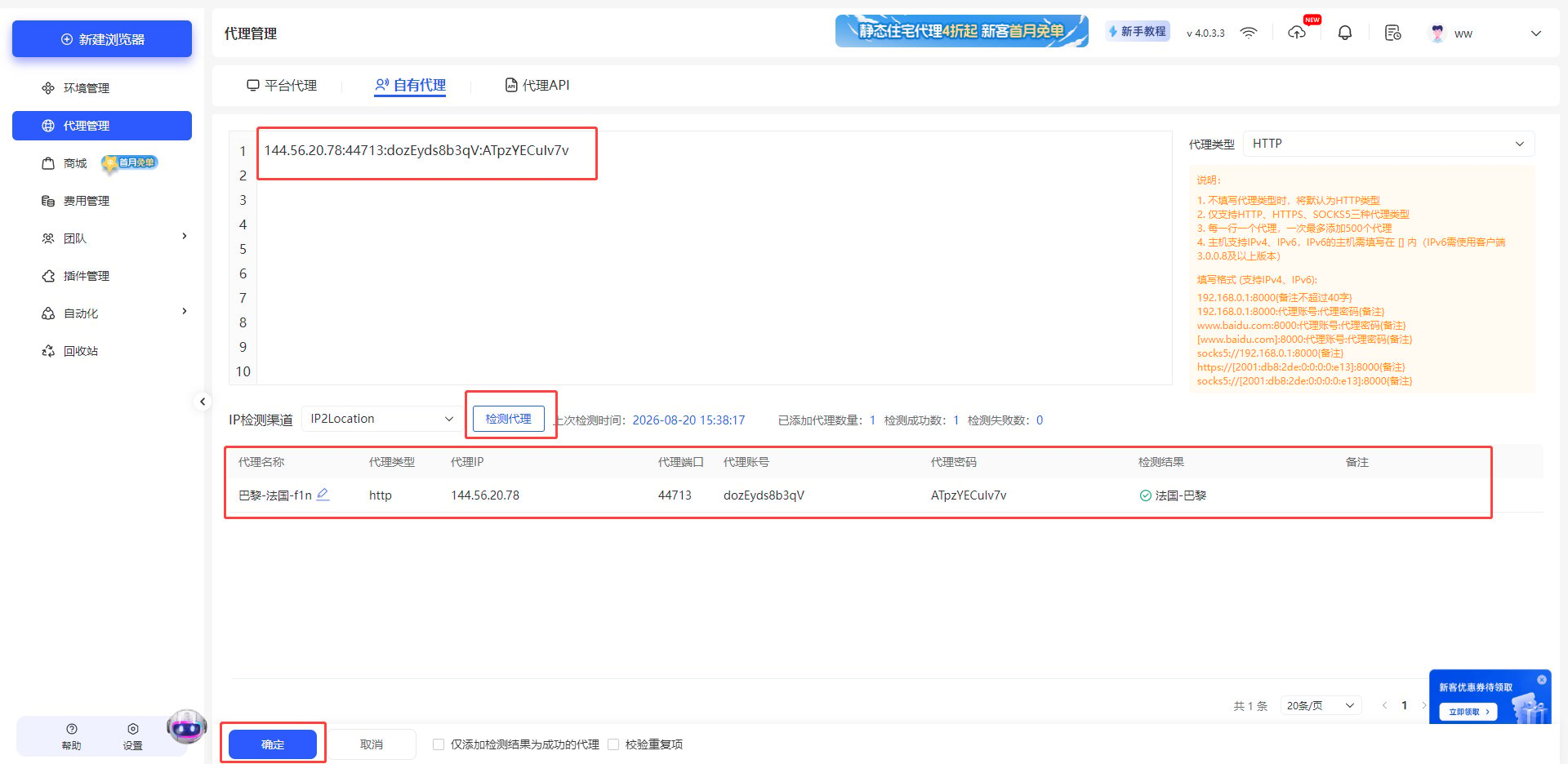
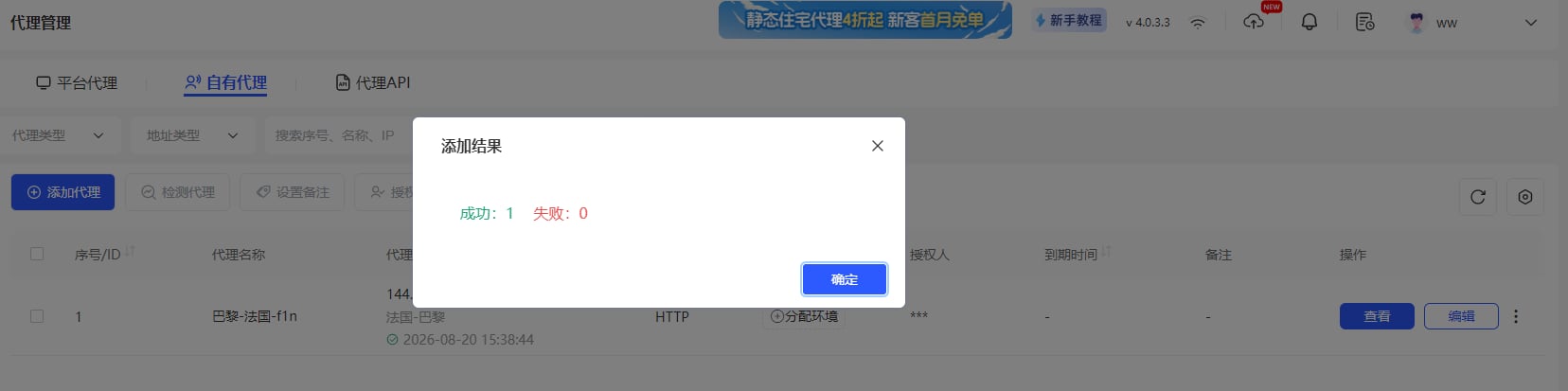
 2. Enter the proxy parameters obtained from YumiProxy, then click **Test Proxy**. The proxy details will be displayed below. After confirming, click **OK**.
 3. Click **Environment Management** on the left, and select **New Browser**.
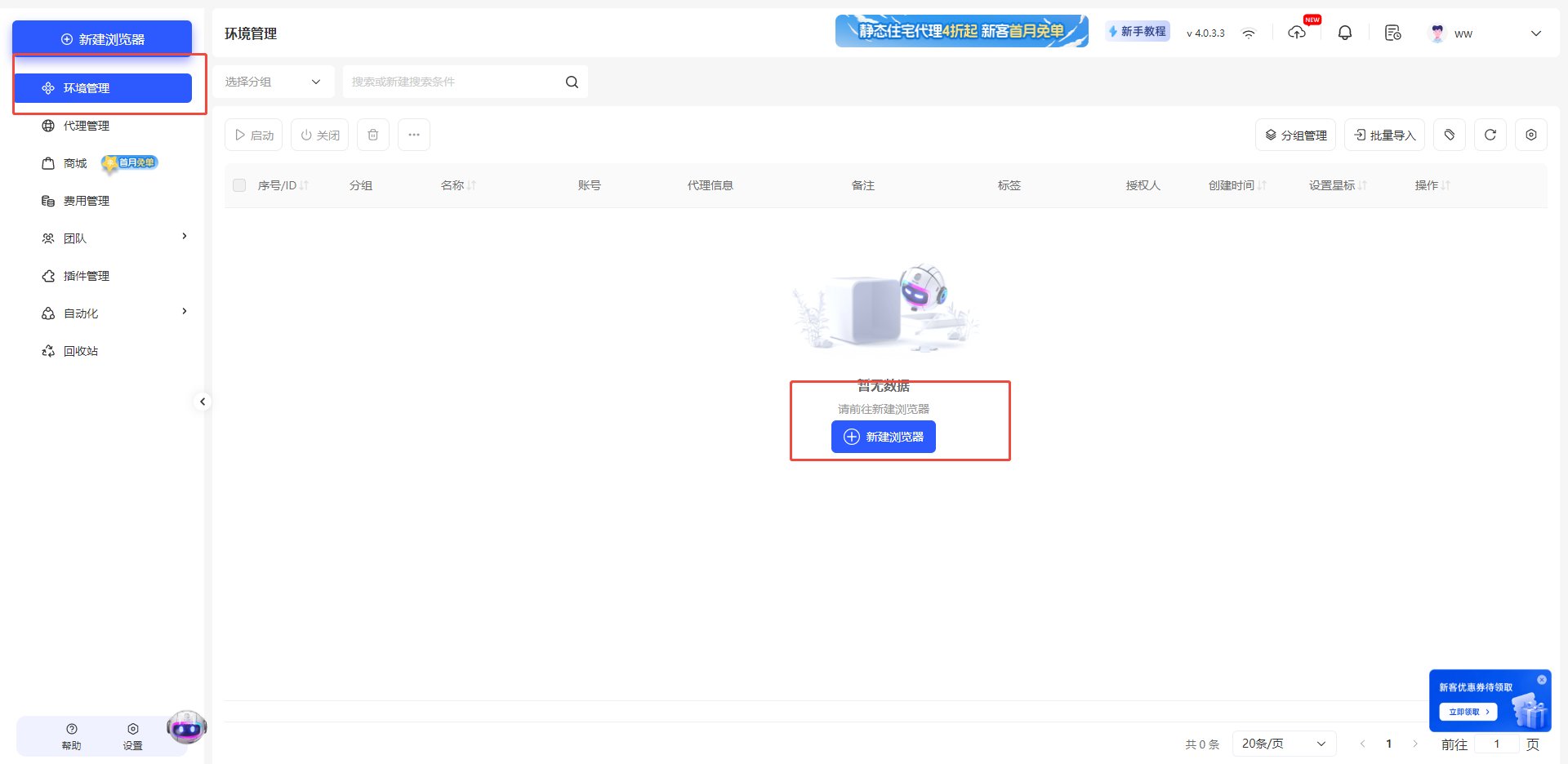 4. Under proxy type, choose **Own Proxy** and check the proxy you just configured.
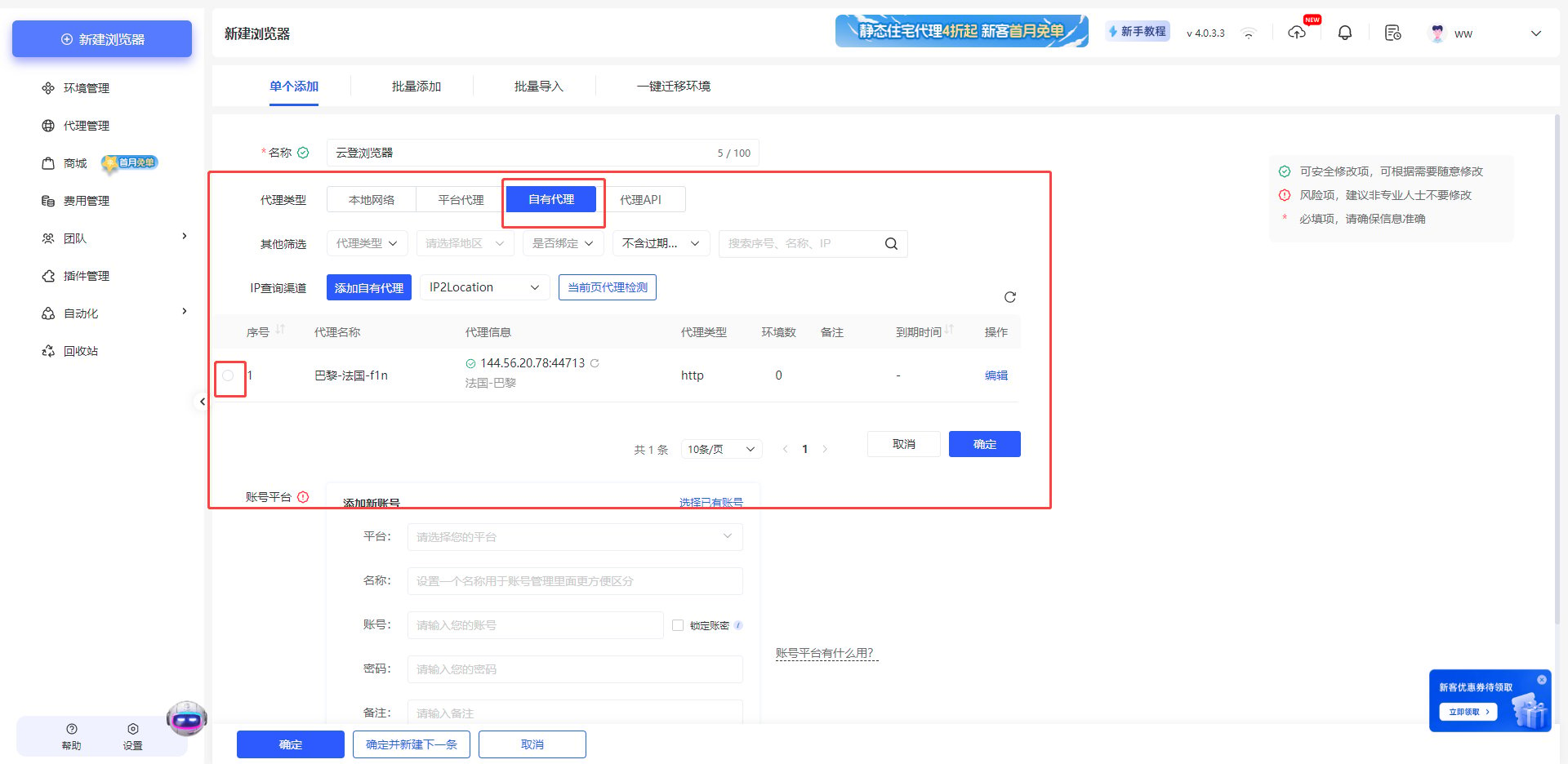 After completing the above steps, you can now use YumiProxy's proxy to access web pages in Multilogin.
**If you have any questions or suggestions during use, please feel free to contact us. We are happy to hear your feedback and provide assistance.**
After completing the above steps, you can now use YumiProxy's proxy to access web pages in Multilogin.
**If you have any questions or suggestions during use, please feel free to contact us. We are happy to hear your feedback and provide assistance.**