> ## Documentation Index
> Fetch the complete documentation index at: https://docs.yumiproxy.com/llms.txt
> Use this file to discover all available pages before exploring further.
# Hubstudio
**在 Hubstudio 中配置代理前,请确保您的代理设置正确,以保证服务正常运行。**
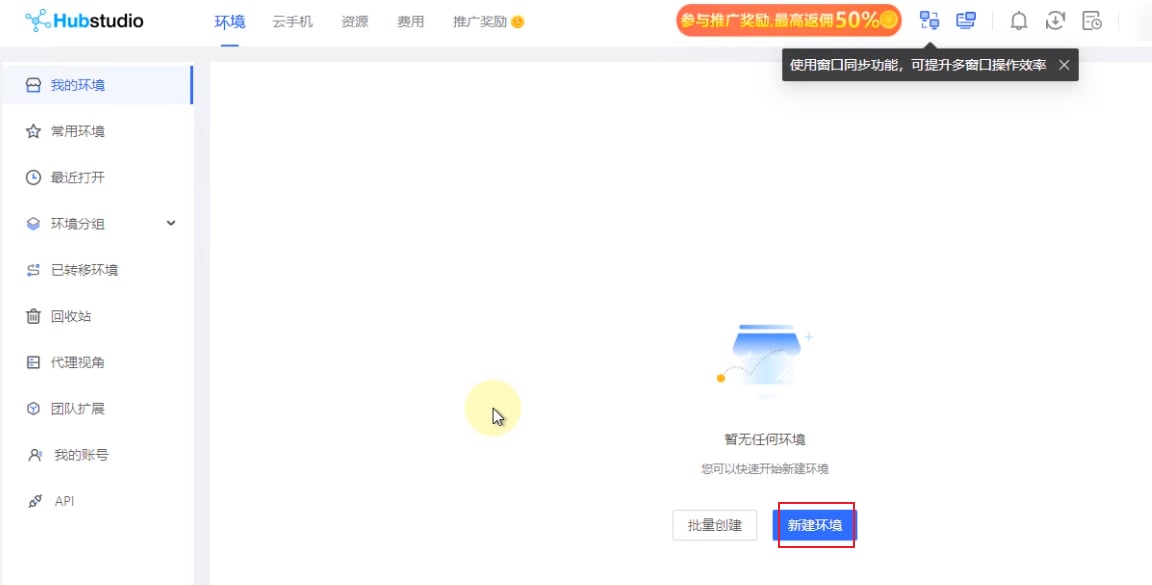
1. 打开 Hubstudio,点击 **新建浏览器配置文件**(New Profile)。
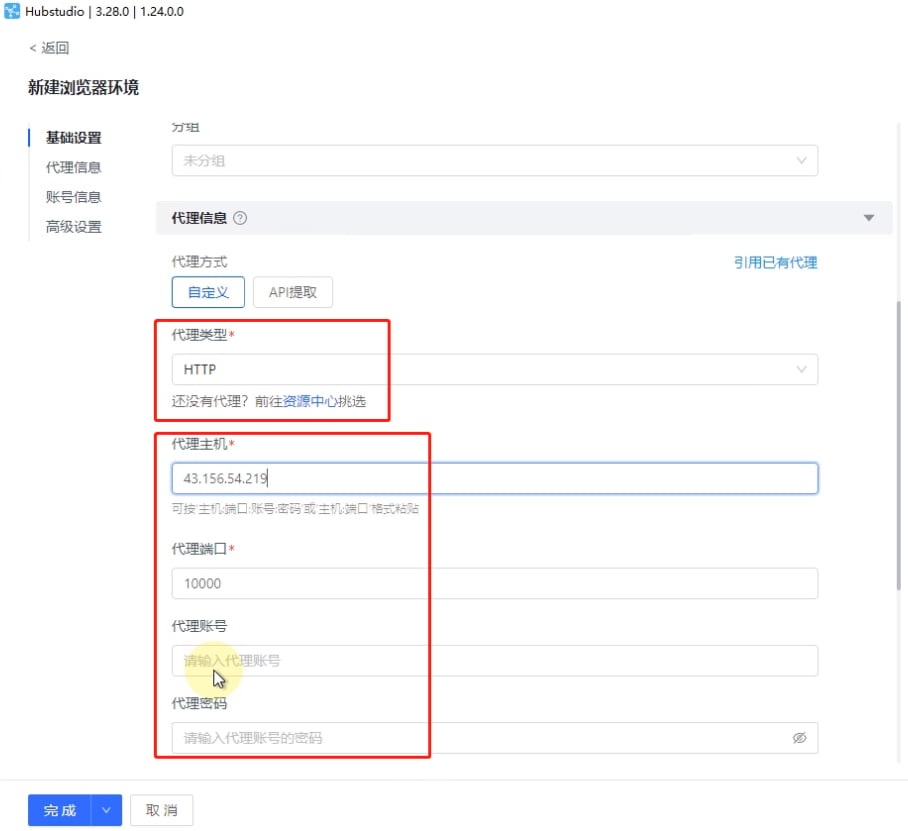
 2. 选择代理类型(以 API 访问为例),输入从 YumiProxy 复制的主机和端口。若选择用户名/密码认证方式,还需填写代理账号和密码。
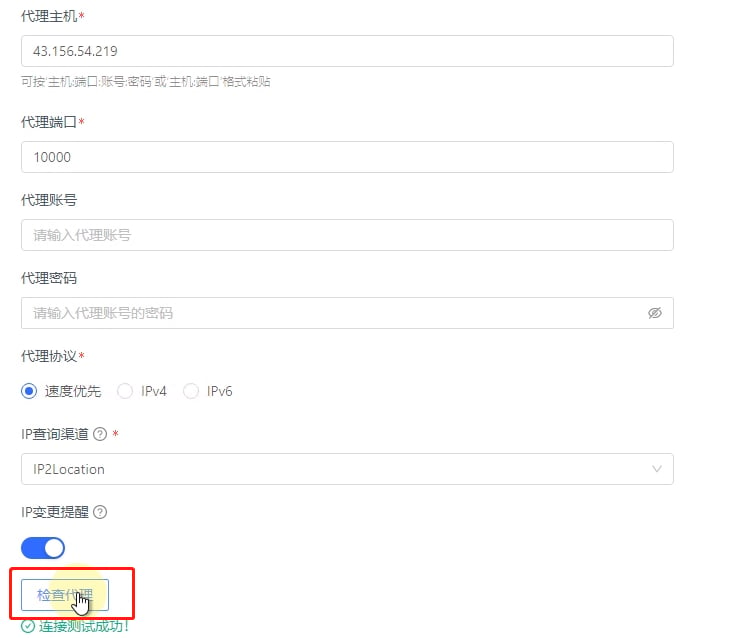
 3. 最后点击 **检测代理**(Check Proxy),检测成功后点击 **完成**(Finish)即可开始使用。
 完成上述步骤后,您现在即可通过 YumiProxy 的代理访问 Hubstudio 中的网页。
**如果您在使用过程中有任何问题或建议,欢迎随时联系我们。我们很乐意倾听您的意见并为您提供帮助。**
完成上述步骤后,您现在即可通过 YumiProxy 的代理访问 Hubstudio 中的网页。
**如果您在使用过程中有任何问题或建议,欢迎随时联系我们。我们很乐意倾听您的意见并为您提供帮助。**