> ## Documentation Index
> Fetch the complete documentation index at: https://docs.yumiproxy.com/llms.txt
> Use this file to discover all available pages before exploring further.
# GoLogin
要在 GoLogin中配置 Yumiproxy 代理,只需按照以下步骤操作:
1. 首先,您需要在您的设备上下载并安装GoLogi
2. 接下来打开它并注册或登录你的账户。
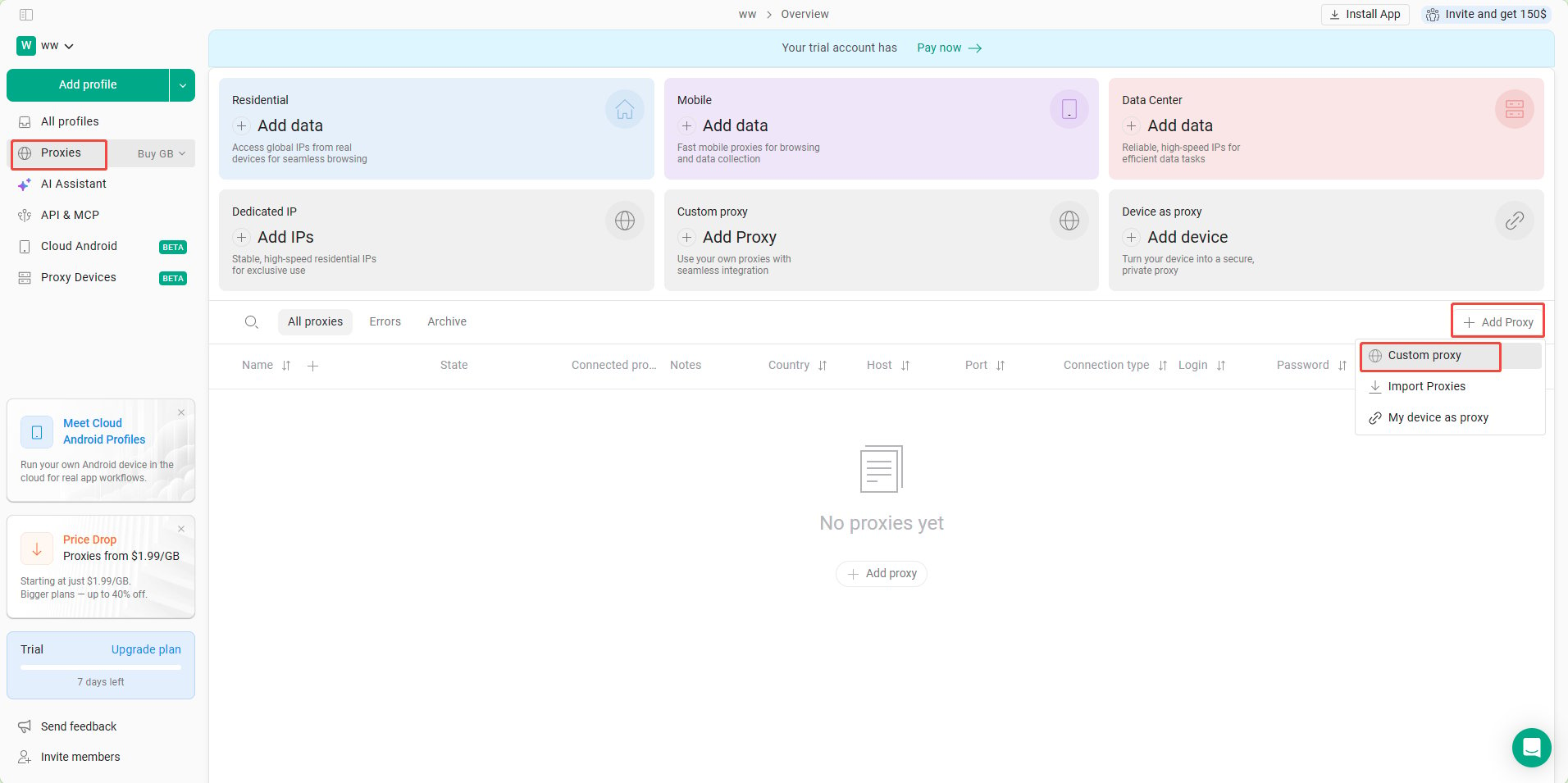
3. 然后单击左侧的 **Proxies** 按钮,然后点击右侧的 **Add Proxy** 以添加新的配置文件。
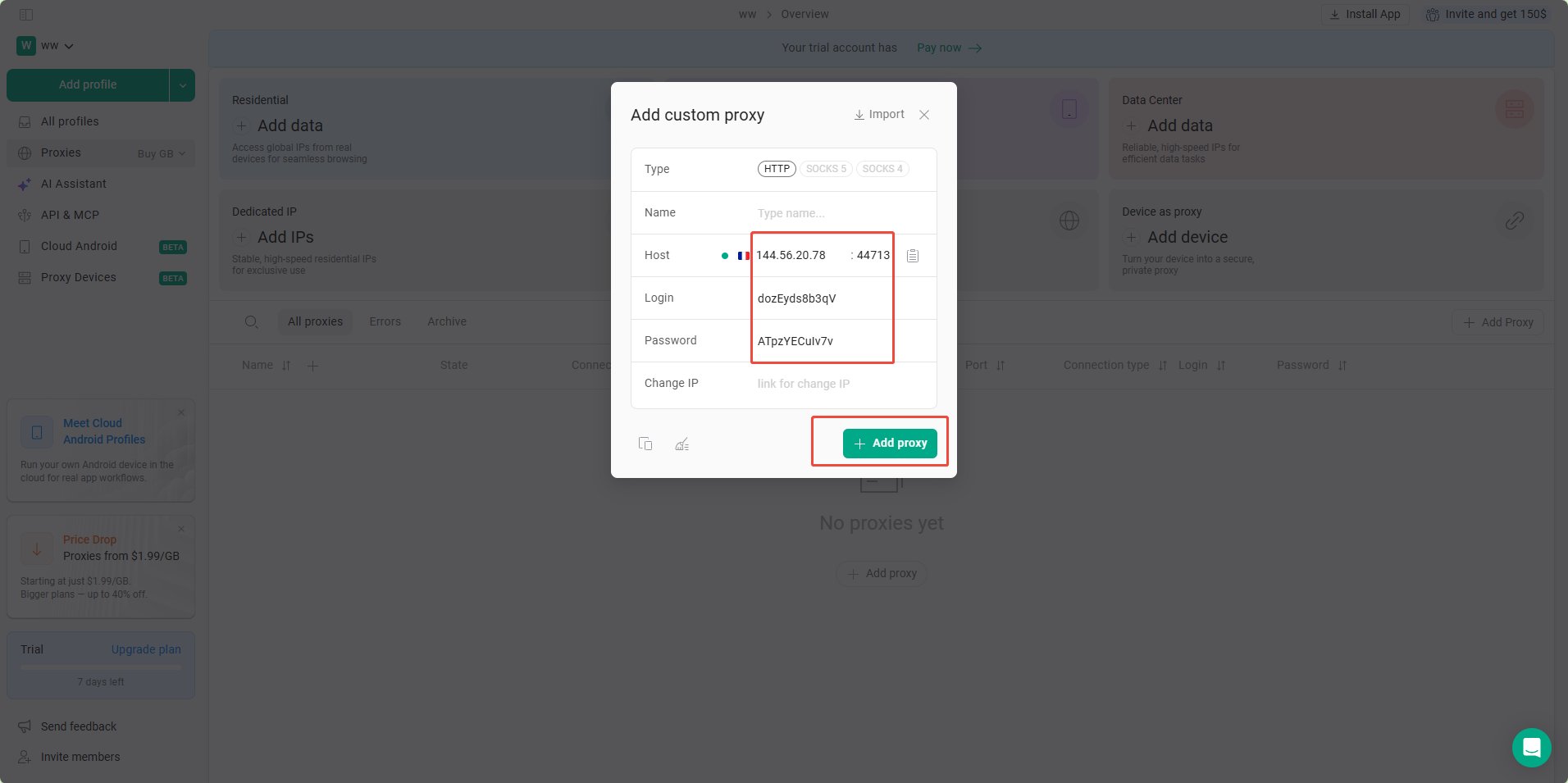
 4. 输入从**YumiProxy**提取的参数,GoLogin会自动检测,如果代理可以连接回显示对应的国家的国旗,最后点击 **Add Porxy**
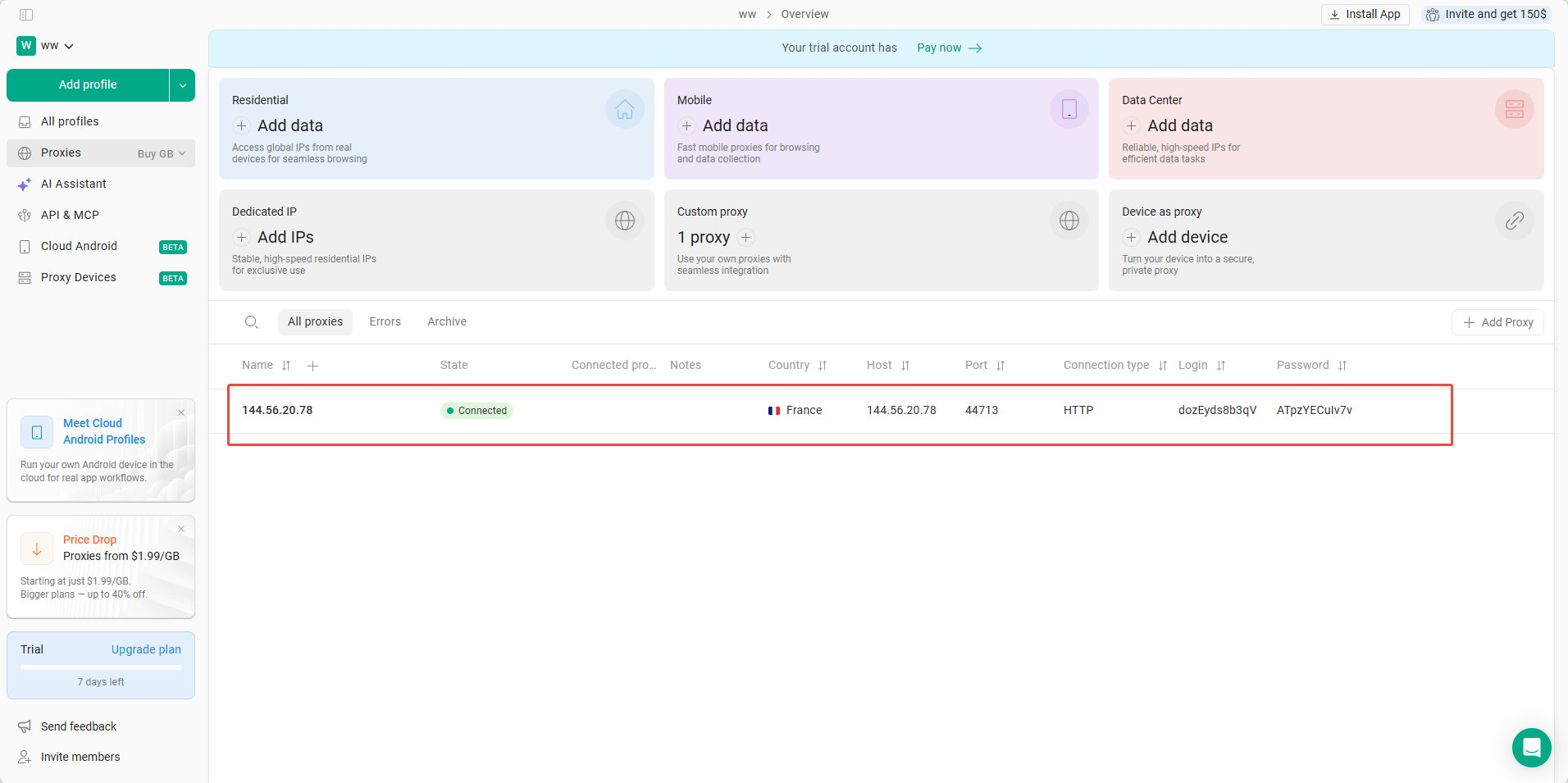
 5. 如下图所:已成功在GoLogin中配置 Yumiproxy 代理。
 完成上述步骤后,您现在可以使用YumiProxy的代理访问GoLogin中的网页。
**如果您在使用过程中有任何问题或建议,欢迎随时联系我们。我们很高兴听到你的想法并提供帮助!**
完成上述步骤后,您现在可以使用YumiProxy的代理访问GoLogin中的网页。
**如果您在使用过程中有任何问题或建议,欢迎随时联系我们。我们很高兴听到你的想法并提供帮助!**