> ## Documentation Index
> Fetch the complete documentation index at: https://docs.yumiproxy.com/llms.txt
> Use this file to discover all available pages before exploring further.
# YumiProxy-购买不限量住宅代理(带宽)-参数提取
#### 1、如何购买不限量住宅代理(带宽)
打开YumiProxy官网中的不限量住宅代理(带宽)页面:[YumiProxy-不限量住宅代理(带宽)](https://www.yumiproxy.com/zh-CN/pricing/unlimited-bandwidth)
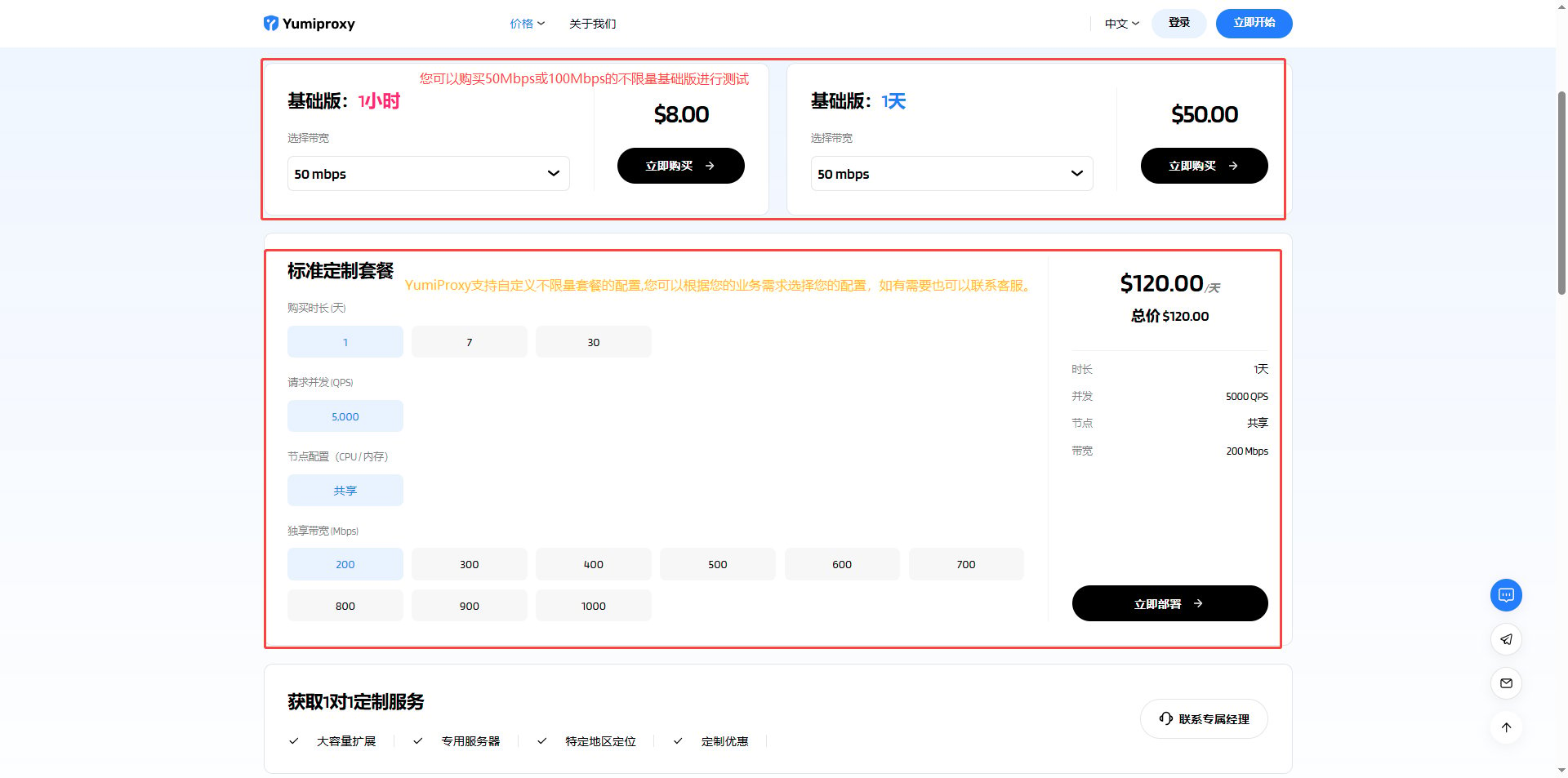 #### 2、进行支付
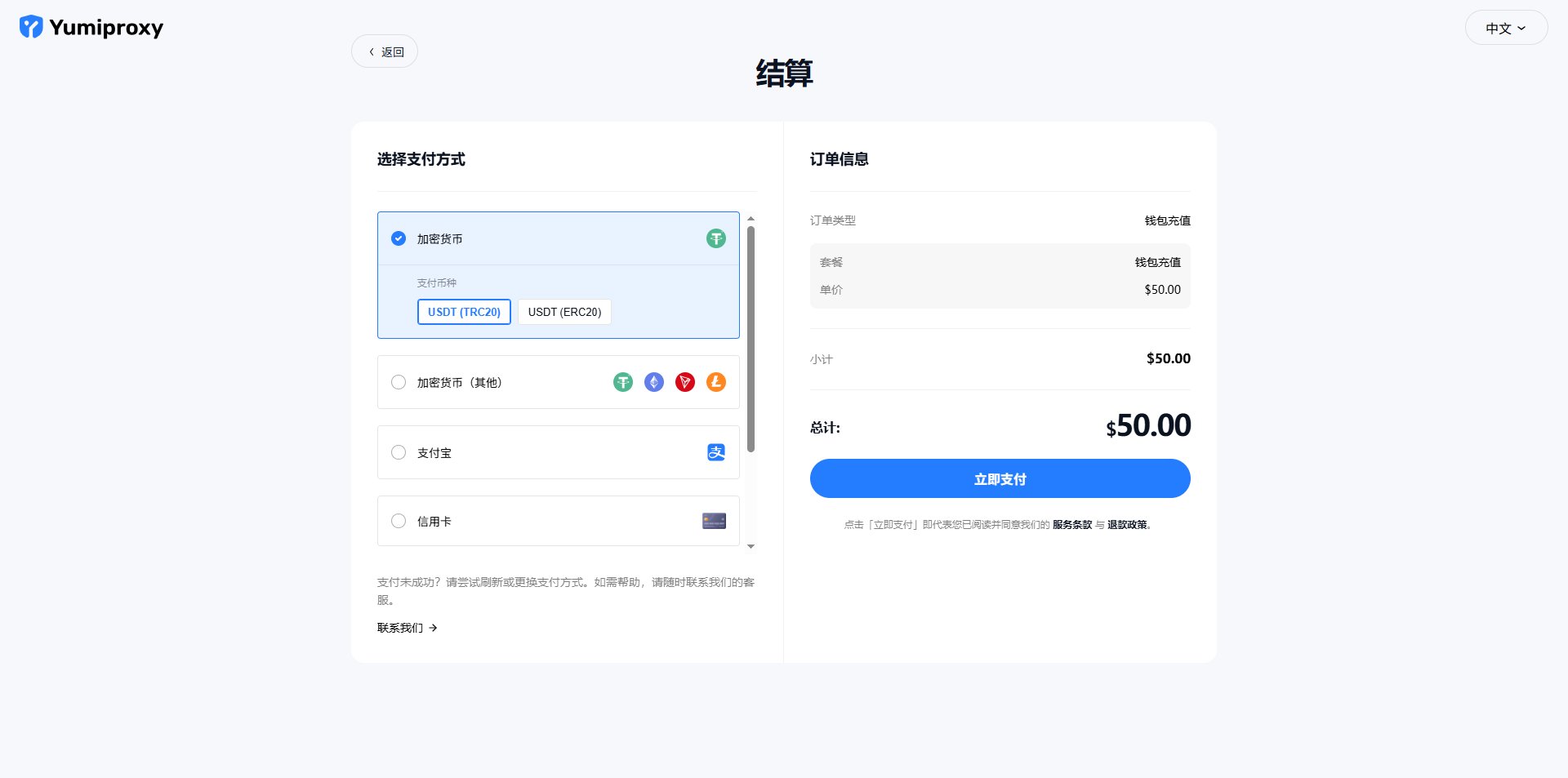
点击立即购买后会跳转到支付页面,选择您的支付方式进行支付。
#### 2、进行支付
点击立即购买后会跳转到支付页面,选择您的支付方式进行支付。
 #### 3、参数提取
支付成功后点击**开始使用**会跳转到控制台
在控制台的 获取代理 页面可以看到您购买各种套餐的信息。
#### 3、参数提取
支付成功后点击**开始使用**会跳转到控制台
在控制台的 获取代理 页面可以看到您购买各种套餐的信息。
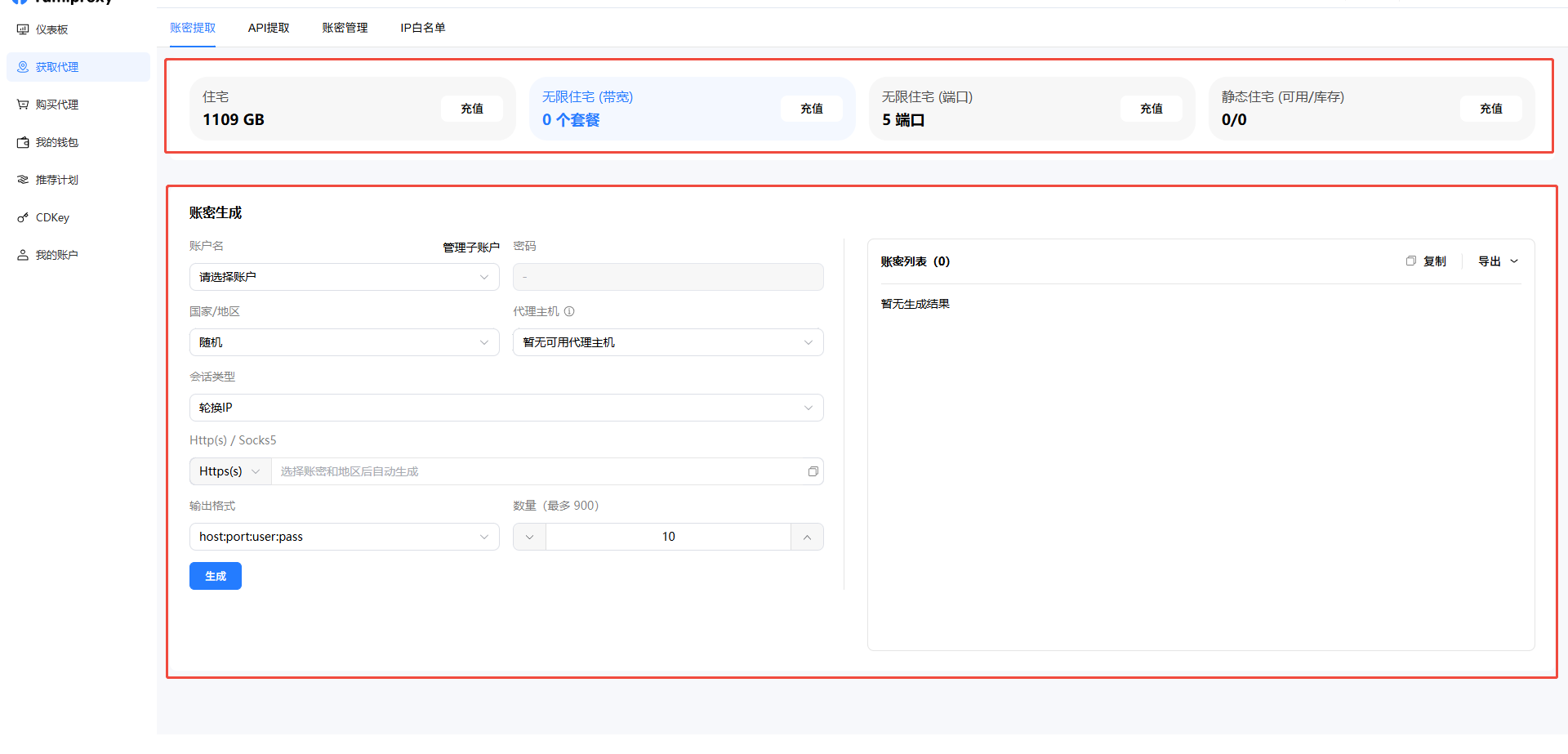 ①在上图第一个圈起的位置选择您需要提取的套餐,现在我们要提取的是不限量住宅代理,如果需要提取其他套餐请点击对应的套餐。
②在上图第二个圈起的位置设置住宅代理提取的参数,您可以选择您的用户名(一个注册邮箱可以创建多个子账户在上方的账密管理中创建) 地区,州/省/城市, ASN,会话类型(粘性/轮换) ,输出格式等
**轮换和粘性会话:**
* 轮换ip:每次请求(如刷新、跳转)都会更换ip
* 粘性ip:ip可以保持一段时间,时间是随机的。用户可以设置5-180min轮换时间,并可以自动轮换ip
**粘性ip中,【提前更换ip】是什么意思?**
* 【提前更换ip】在打开时,如果这个ip在设置的时间前上线了,系统会自动换一个新的ip,并重新开始计时
* 【提前更换ip】在关闭时,如果这个ip在设置的时间前上线了,系统不会自动换一个新的ip,直到到达预设的时间点后,才会进行 IP 更换。
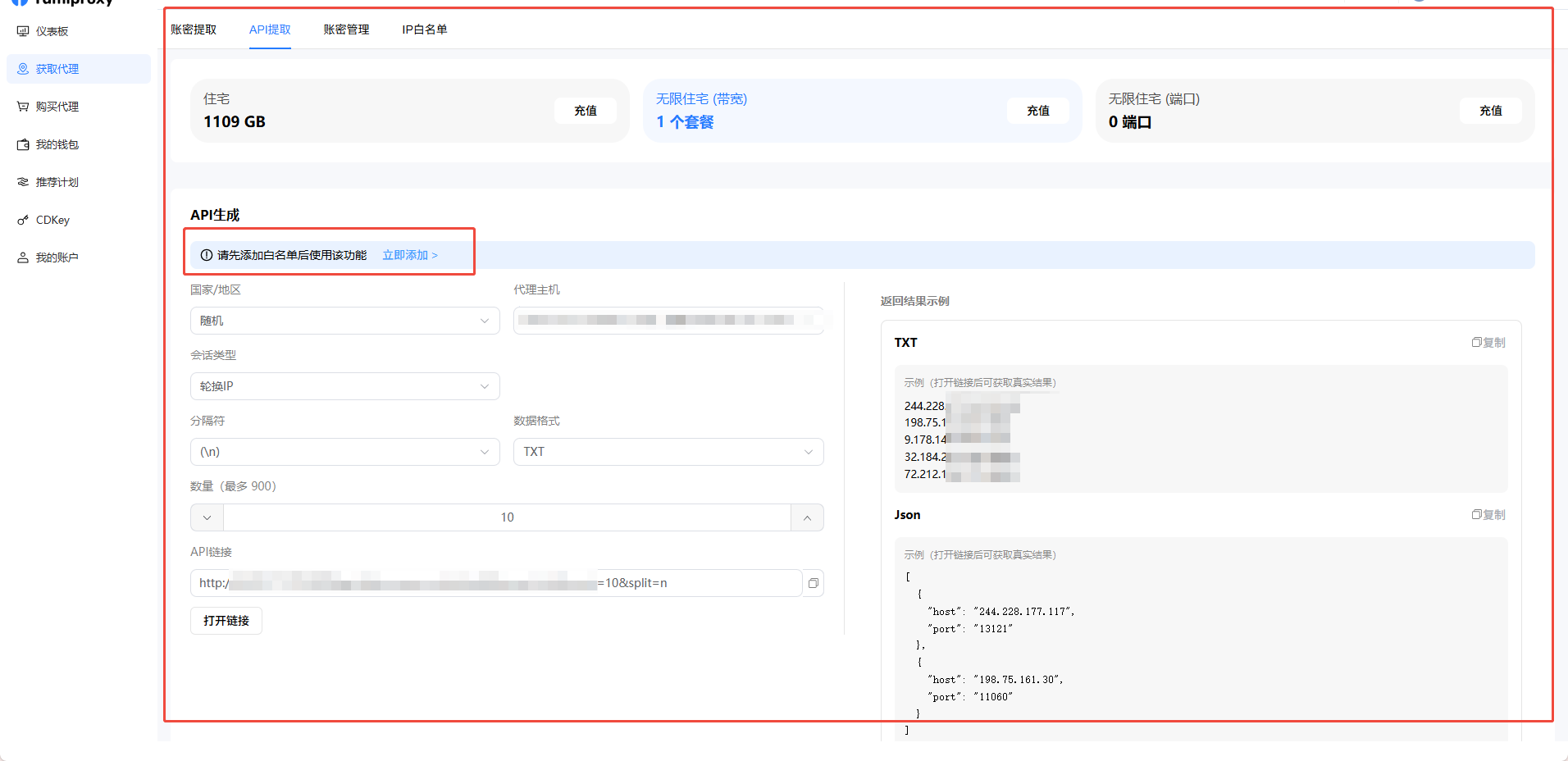
**API提取**
当您选择使用API的方式进行提取时,一定要 **添加IP白名单 相关配置信息如上述账密提取相同。**
①在上图第一个圈起的位置选择您需要提取的套餐,现在我们要提取的是不限量住宅代理,如果需要提取其他套餐请点击对应的套餐。
②在上图第二个圈起的位置设置住宅代理提取的参数,您可以选择您的用户名(一个注册邮箱可以创建多个子账户在上方的账密管理中创建) 地区,州/省/城市, ASN,会话类型(粘性/轮换) ,输出格式等
**轮换和粘性会话:**
* 轮换ip:每次请求(如刷新、跳转)都会更换ip
* 粘性ip:ip可以保持一段时间,时间是随机的。用户可以设置5-180min轮换时间,并可以自动轮换ip
**粘性ip中,【提前更换ip】是什么意思?**
* 【提前更换ip】在打开时,如果这个ip在设置的时间前上线了,系统会自动换一个新的ip,并重新开始计时
* 【提前更换ip】在关闭时,如果这个ip在设置的时间前上线了,系统不会自动换一个新的ip,直到到达预设的时间点后,才会进行 IP 更换。
**API提取**
当您选择使用API的方式进行提取时,一定要 **添加IP白名单 相关配置信息如上述账密提取相同。**