> ## Documentation Index
> Fetch the complete documentation index at: https://docs.yumiproxy.com/llms.txt
> Use this file to discover all available pages before exploring further.

# YumiProxy-如何向官网钱包进行充值

#### 1、打开控制台的钱包：[我的钱包](https://dash.yumiproxy.com/wallet)

<Frame>
  <img src="https://mintcdn.com/yumiproxycom/LwqzQHcf8l8QbcCz/images/image-35.png?fit=max&auto=format&n=LwqzQHcf8l8QbcCz&q=85&s=d445443921f02d2489e5dfc1abf364c5" alt="Image" width="1920" height="921" data-path="images/image-35.png" />
</Frame>

选择充值金额，点击立即充值

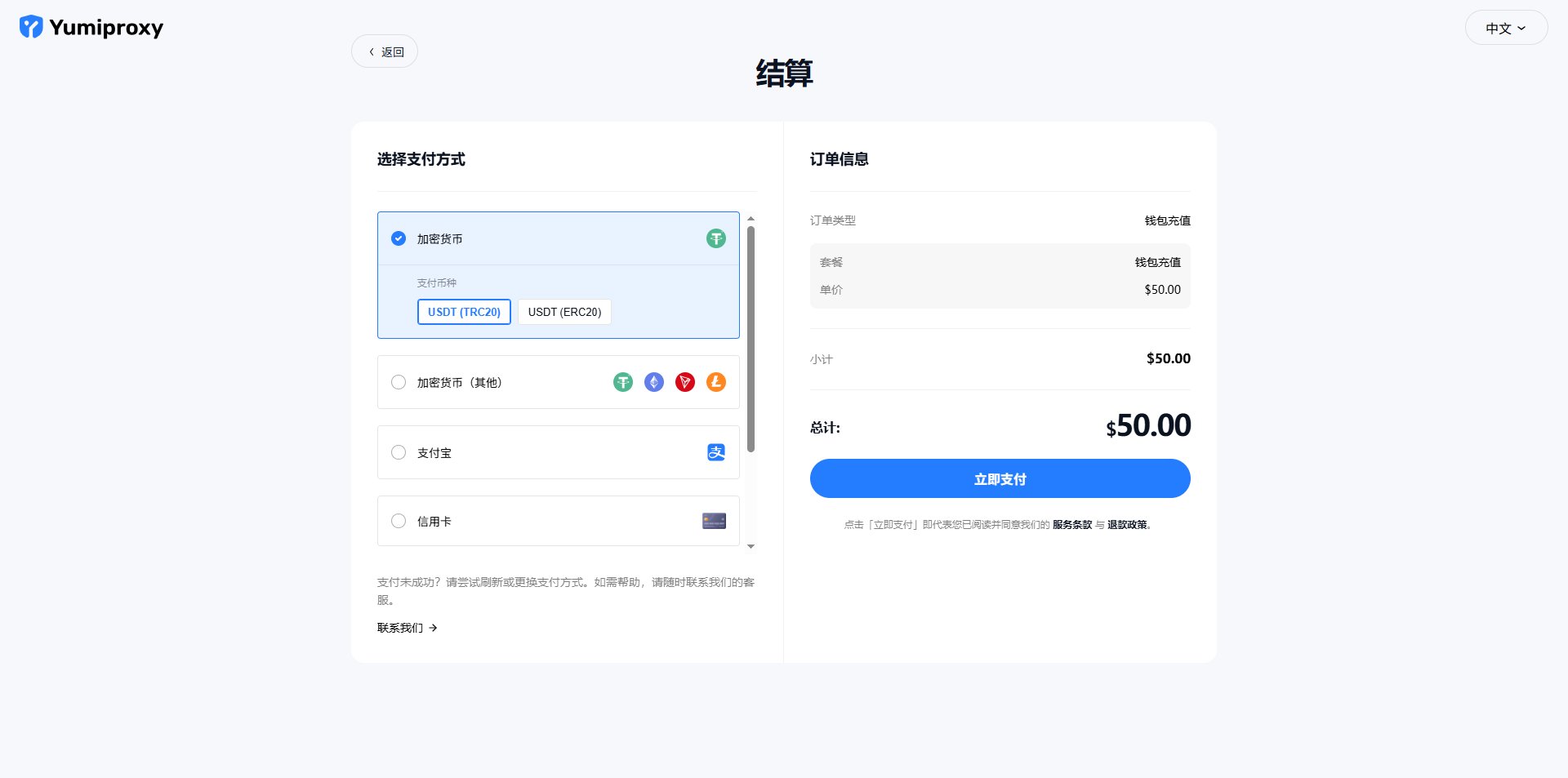
#### 2、选择付款方式

<Frame>
  <img src="https://mintcdn.com/yumiproxycom/LIOp6ptkVwmnhn9U/images/image-23.png?fit=max&auto=format&n=LIOp6ptkVwmnhn9U&q=85&s=3943cfbc264a724609472e77a9a37099" alt="Image" width="1920" height="953" data-path="images/image-23.png" />
</Frame>

点击  立即支付 支付成功后会存入钱包中。