1. How to Purchase Residential Proxies
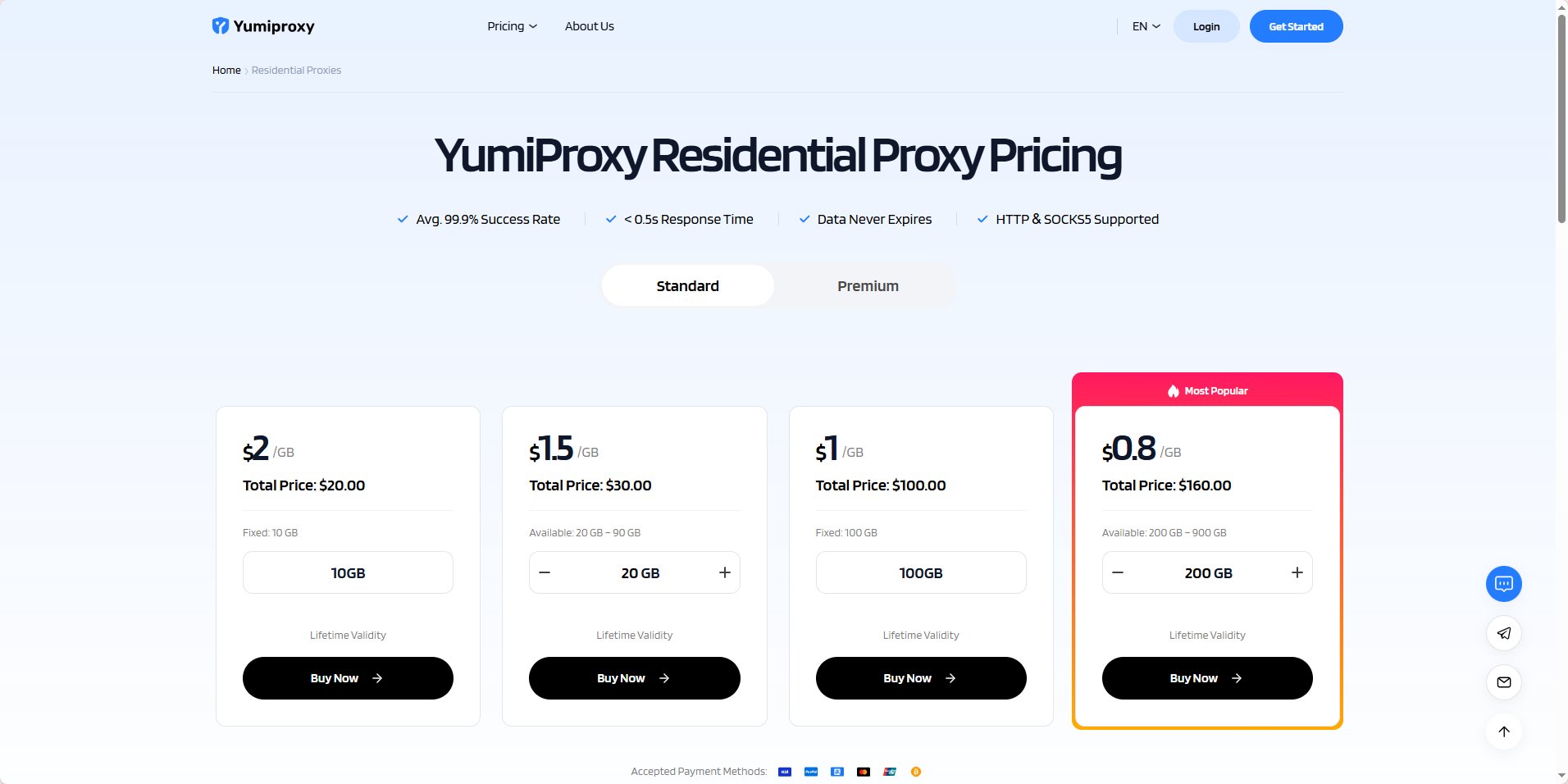
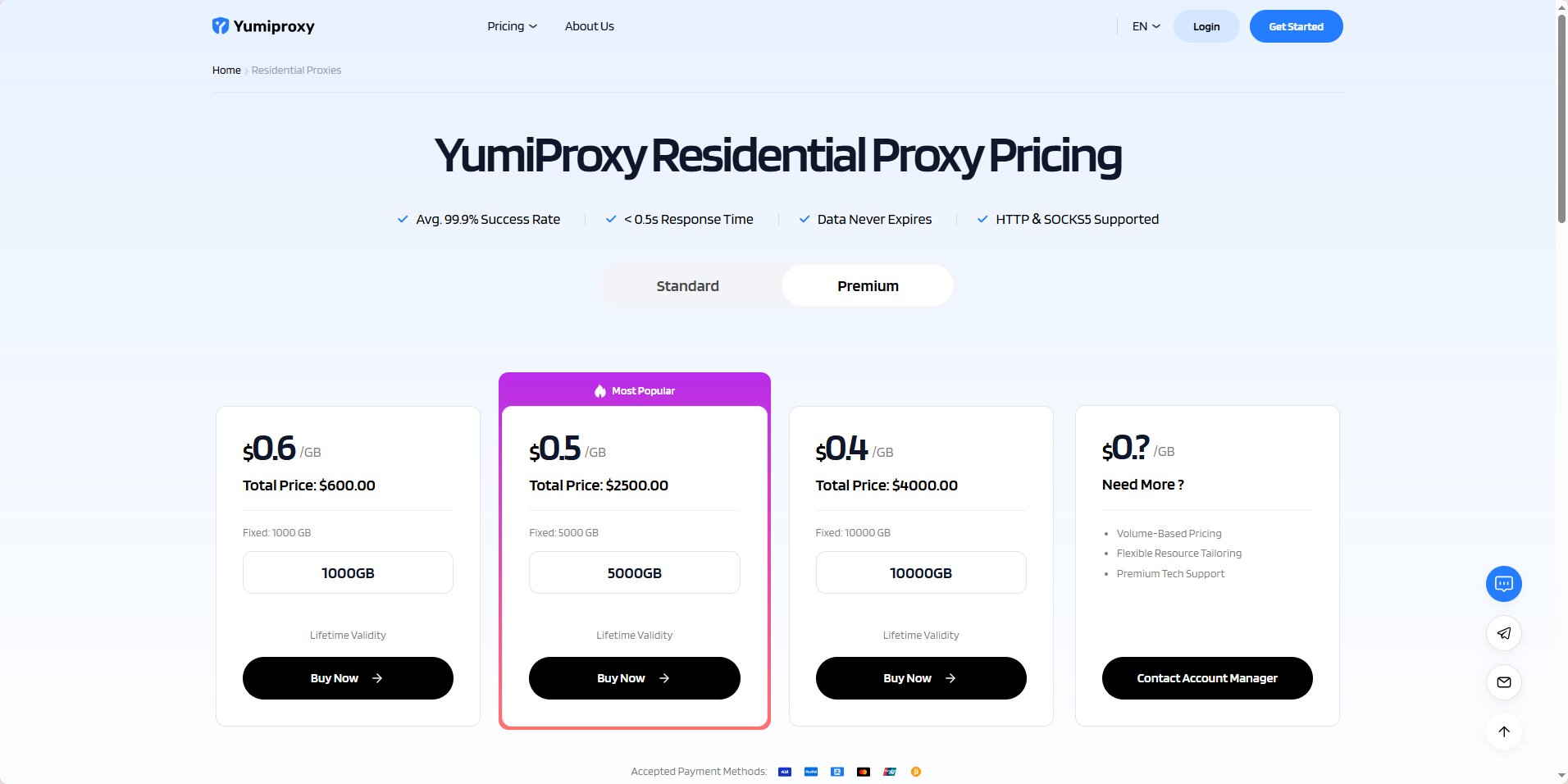
Open the Residential Proxy page on the YumiProxy official website: YumiProxy Residential Proxy- Note! YumiProxy - Residential Proxy has two types: Basic Edition / Advanced Edition
- Difference: The Advanced Edition allows you to share traffic with other users by generating CDKs.
2. Make Payment
Click “Buy Now” and you will be redirected to the payment page, where you can choose your payment method to complete the payment.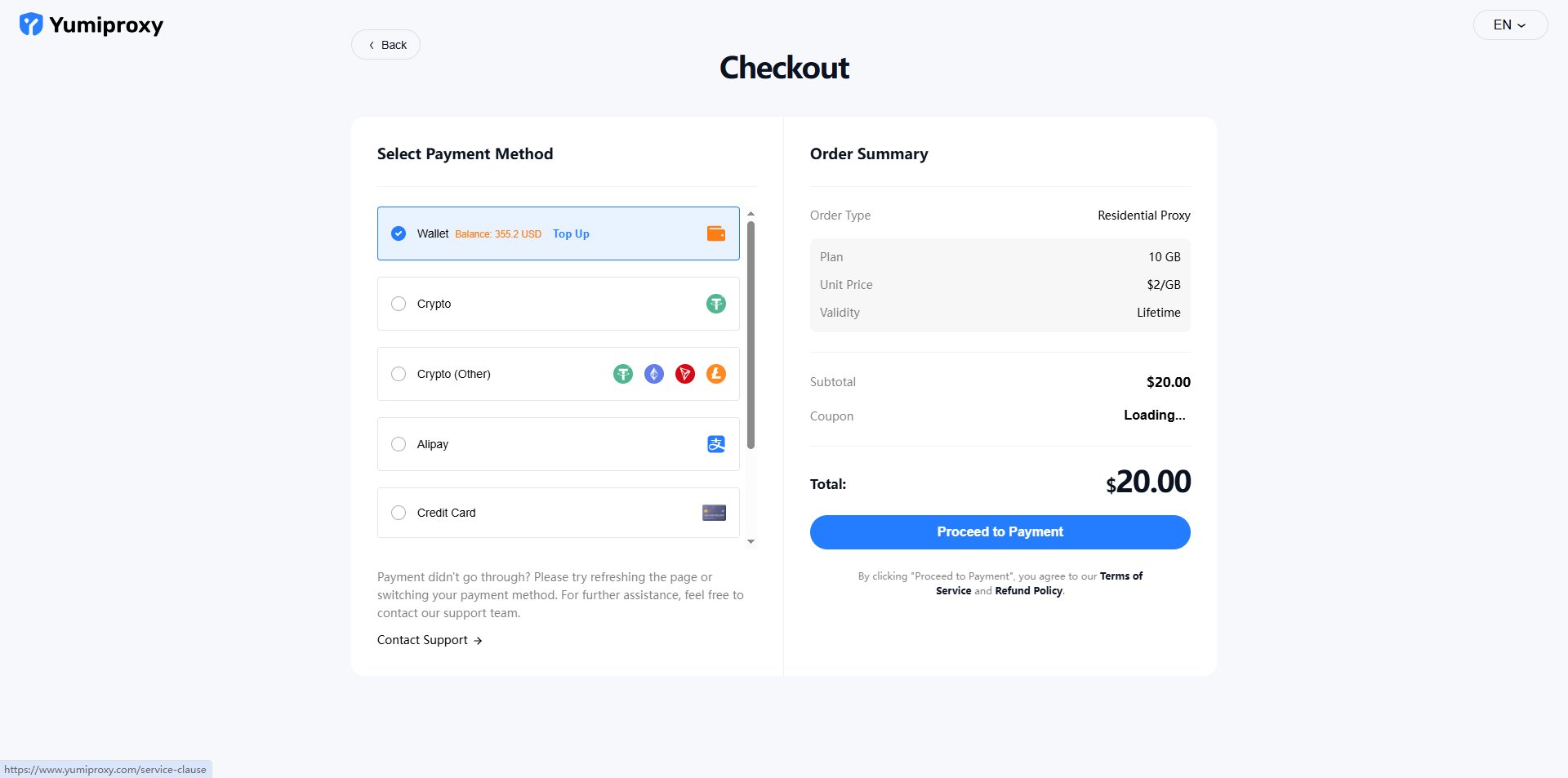
3. Parameter Extraction
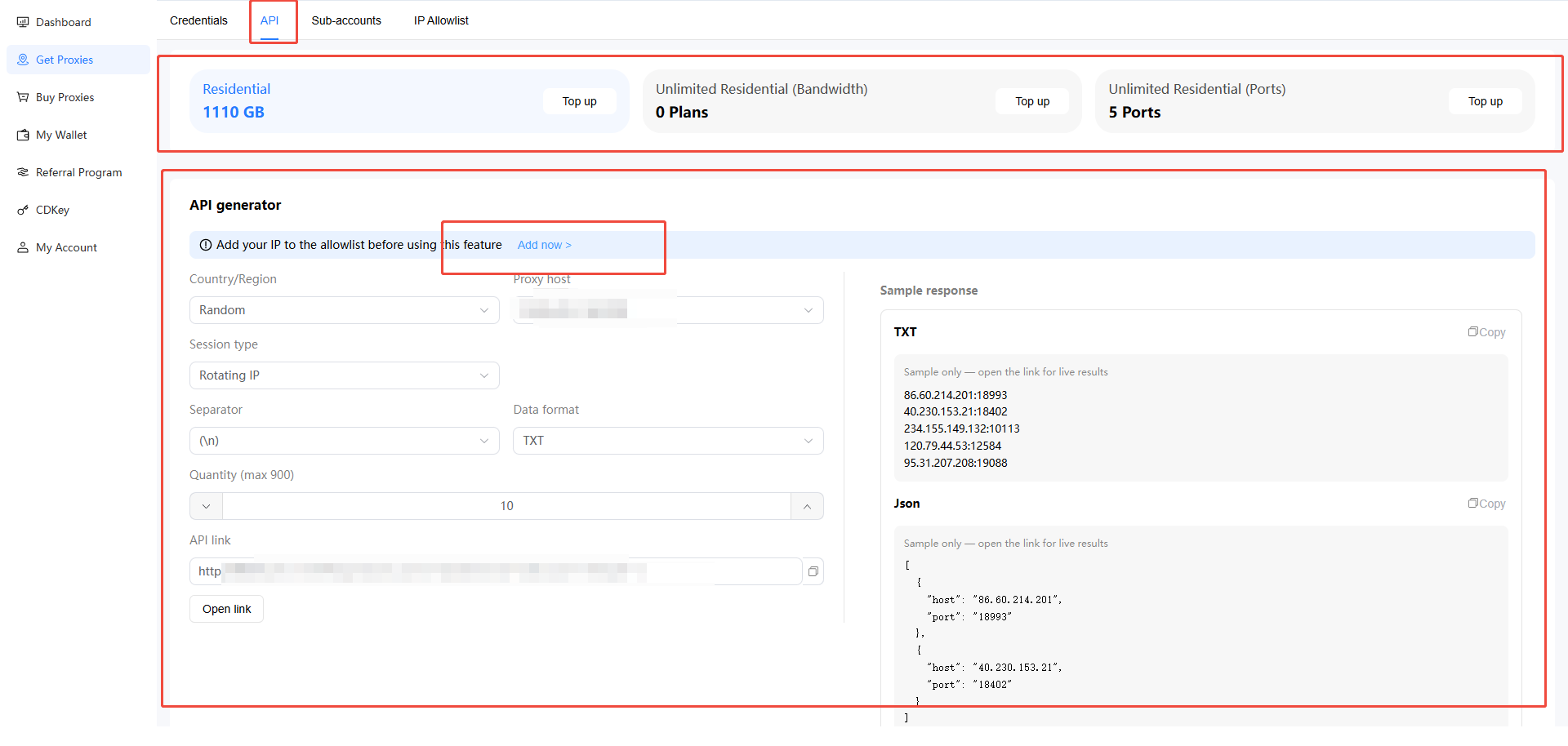
After successful payment, click “Start Using” and you will be redirected to the console. On the “Get Proxy” page in the console, you can see the information for the various packages you have purchased. YumiProxy offers two extraction methods: Account/Password Extraction and API Extraction. Account/Password Extraction: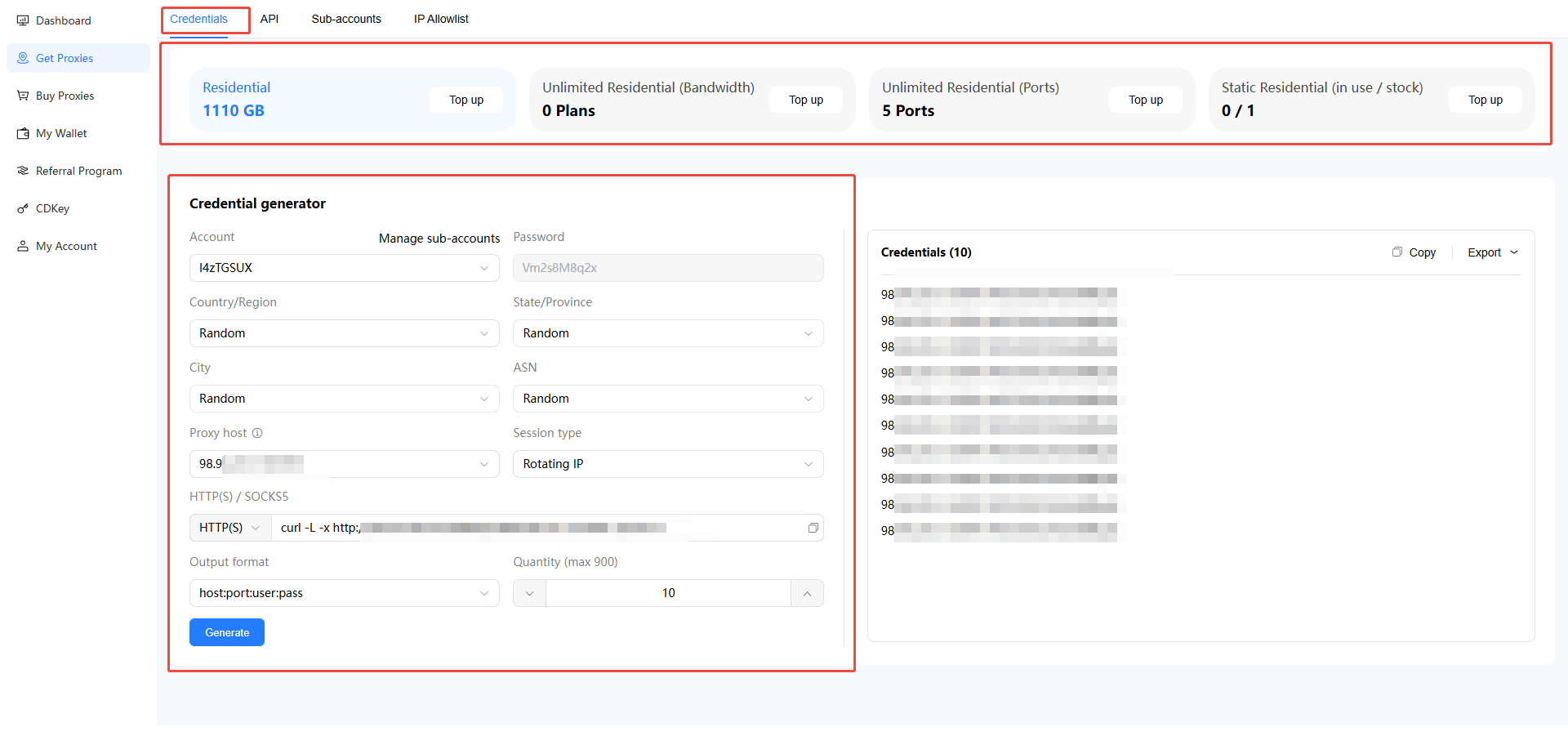
- Rotation and Sticky Sessions:
- Rotating IP: The IP changes with each request (e.g., refresh, navigation).
- Sticky IP: The IP can be maintained for a certain period of time, which is random. Users can set a rotation time between 5 and 180 minutes, and the IP can be rotated automatically.
- In Sticky IP, what does “Rotate IP on each extract” mean?
- When “Rotate IP on each extract” is turned on, if this IP goes online before the set time, the system will automatically assign a new IP and restart the timer.
- When “Rotate IP on each extract” is turned off, if this IP goes online before the set time, the system will not automatically assign a new IP; the IP will only be changed when the preset time is reached.
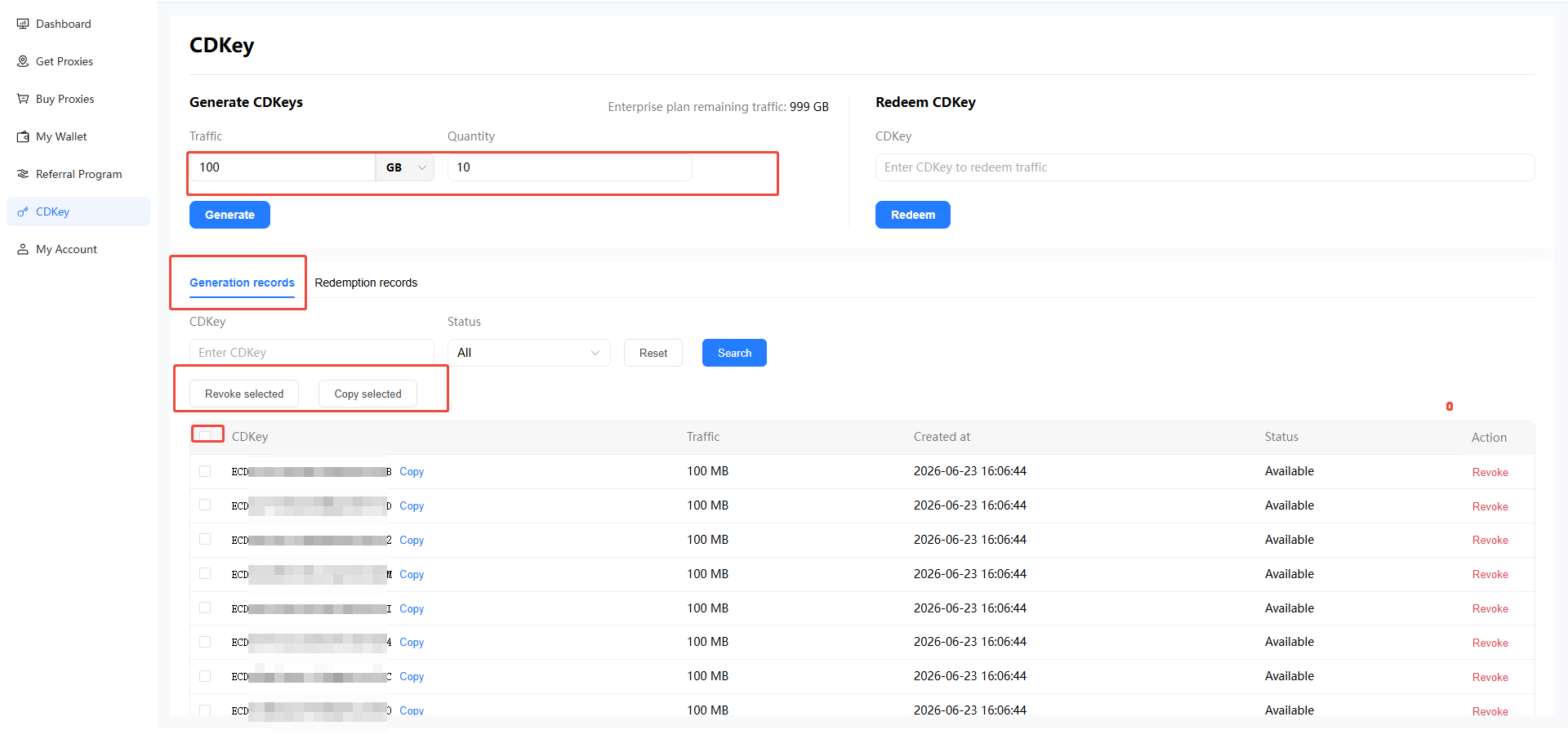
4. CDK Generation
If you have purchased the Advanced Edition, you can generate CDKs in the “CDKey” section of the console, or revoke previously generated CDKs.