

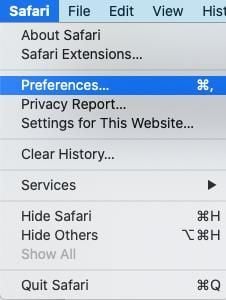
- Open Safari, click on Safari in the menu bar, and select Preferences.
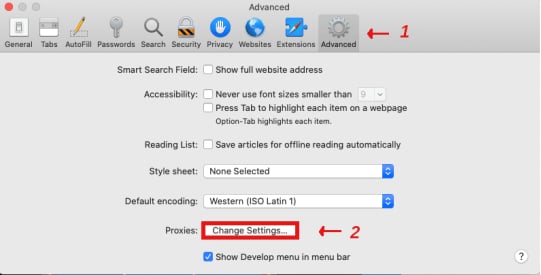
- In the Preferences window, switch to the Advanced tab, locate the Proxy option at the bottom of the page, and click Change Settings.
- The system will display the network proxy configuration window. Based on the parameters provided by your administrator or proxy service provider, fill in the proxy server address, port number, protocol type (usually HTTP or HTTPS, depending on your proxy details), as well as the username and password required for authentication.
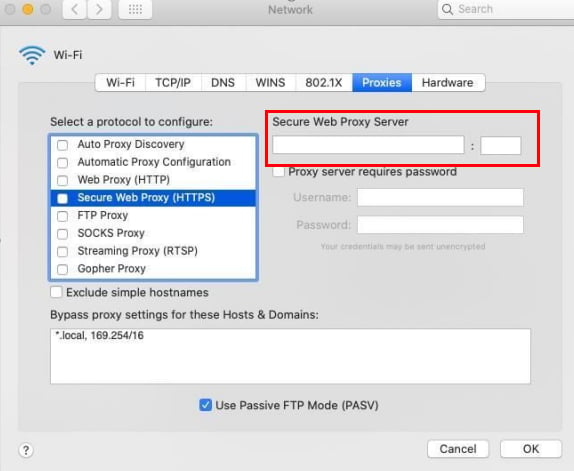
- After confirming that all information is correct, click OK to save the configuration and close the window.
Browsers & Extensions Proxy Integration Guide
Safari Browser
Before integrating the proxy, please ensure that the proxy service has been properly configured according to the established settings and is in normal working order.
The specific steps are as follows:
Was this page helpful?