

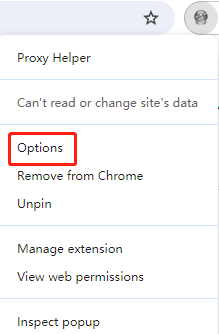
- Right-click the Proxy Helper icon and select Options.
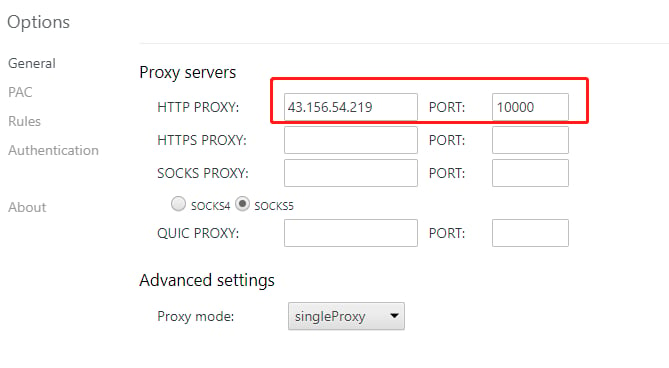
- In the configuration window that opens, enter the host and port for the HTTP proxy obtained via the API.
- Click the Proxy Helper icon and select the configured HTTP proxy from the list.
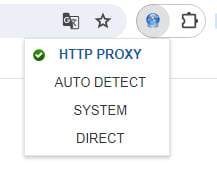
- Upon successful configuration, the Proxy Helper icon will light up; if it does not light up, the configuration has not taken effect and you will need to repeat the above steps.
Browsers & Extensions Proxy Integration Guide
Proxy Helper
Before integrating a proxy into Proxy Helper, ensure that the proxy service has been correctly configured and is functioning properly.
Tip: Before using the plugin, add your local IP address to the IP whitelist.
The specific steps are as follows:
Was this page helpful?