

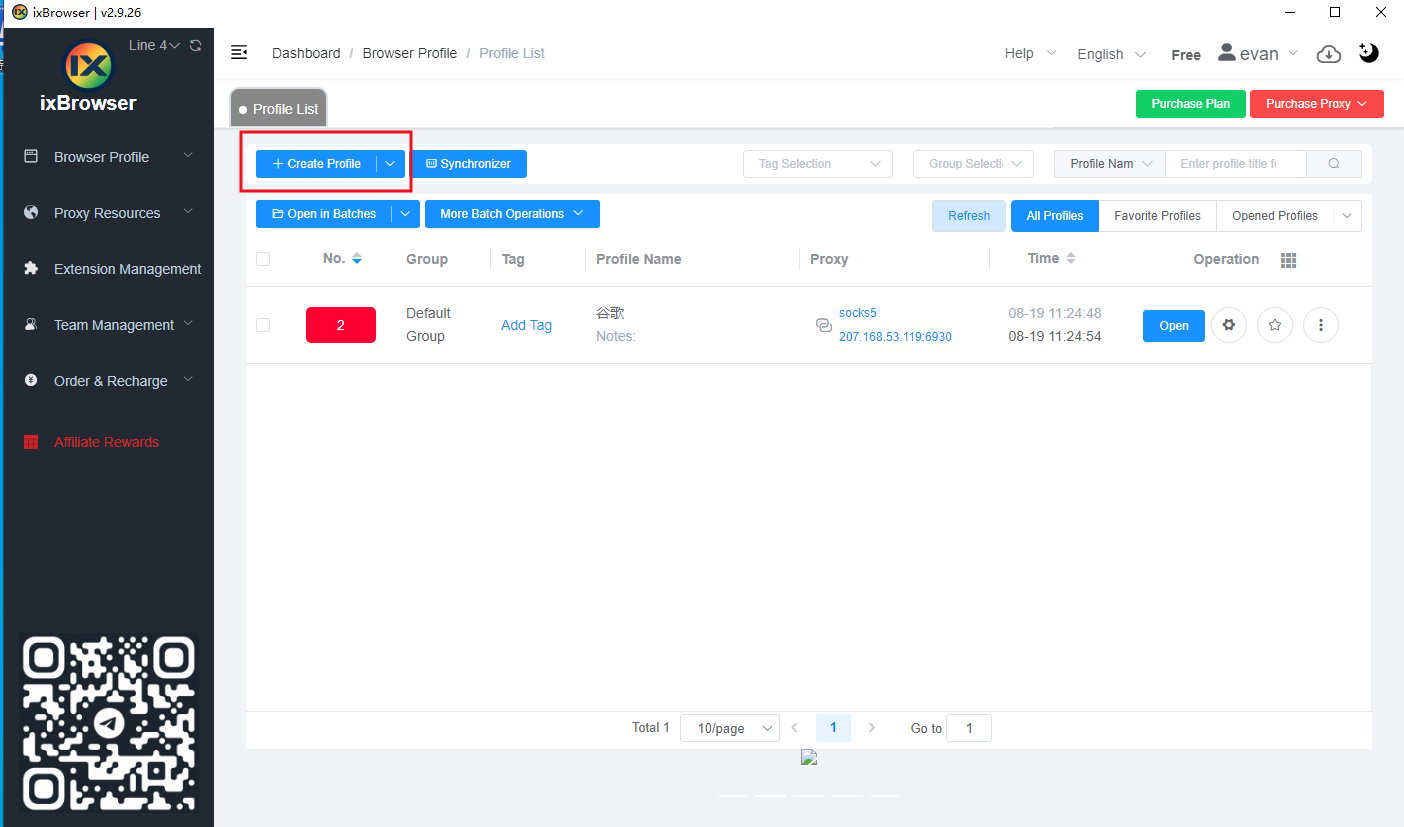
- Select Create Window.
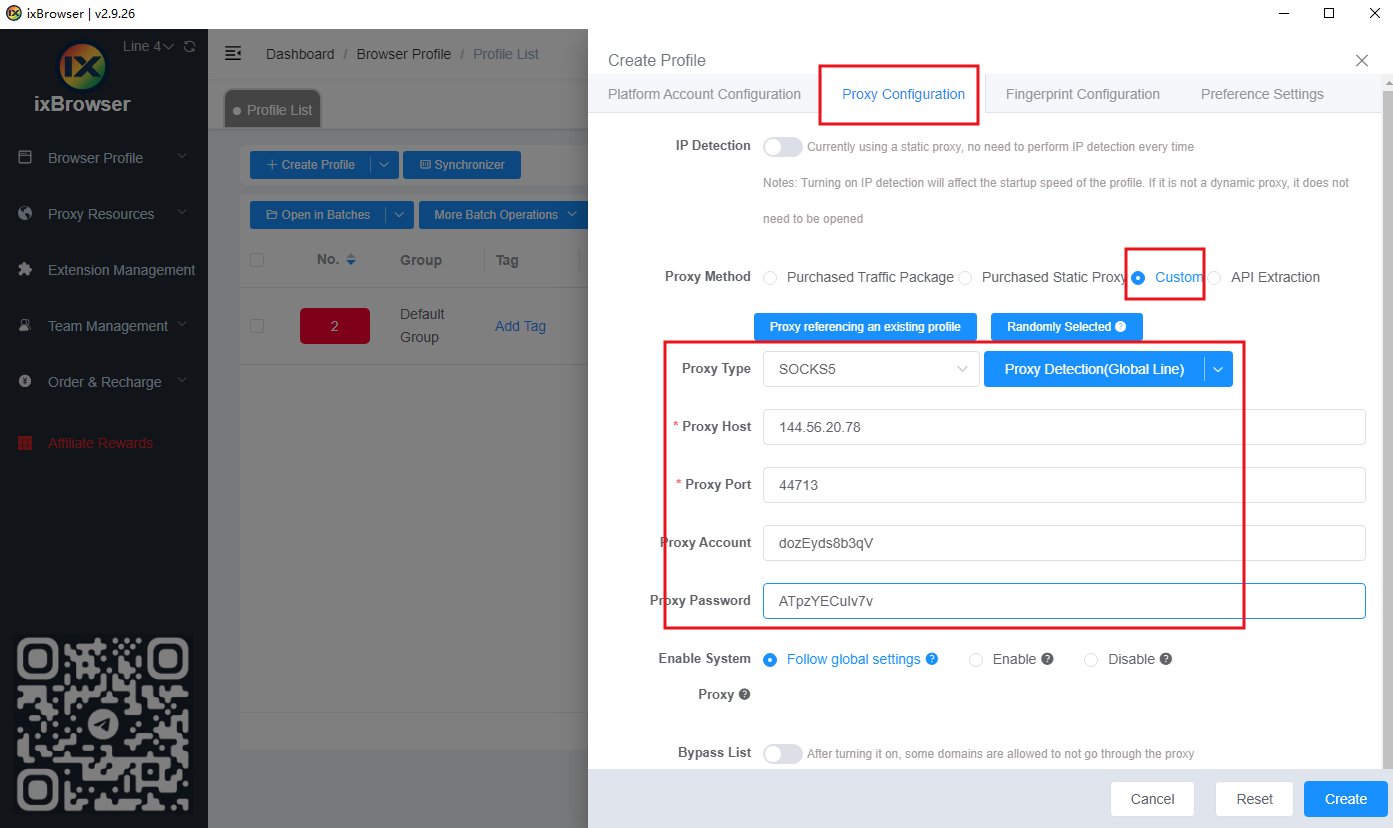
- In the proxy configuration, fill in the proxy information
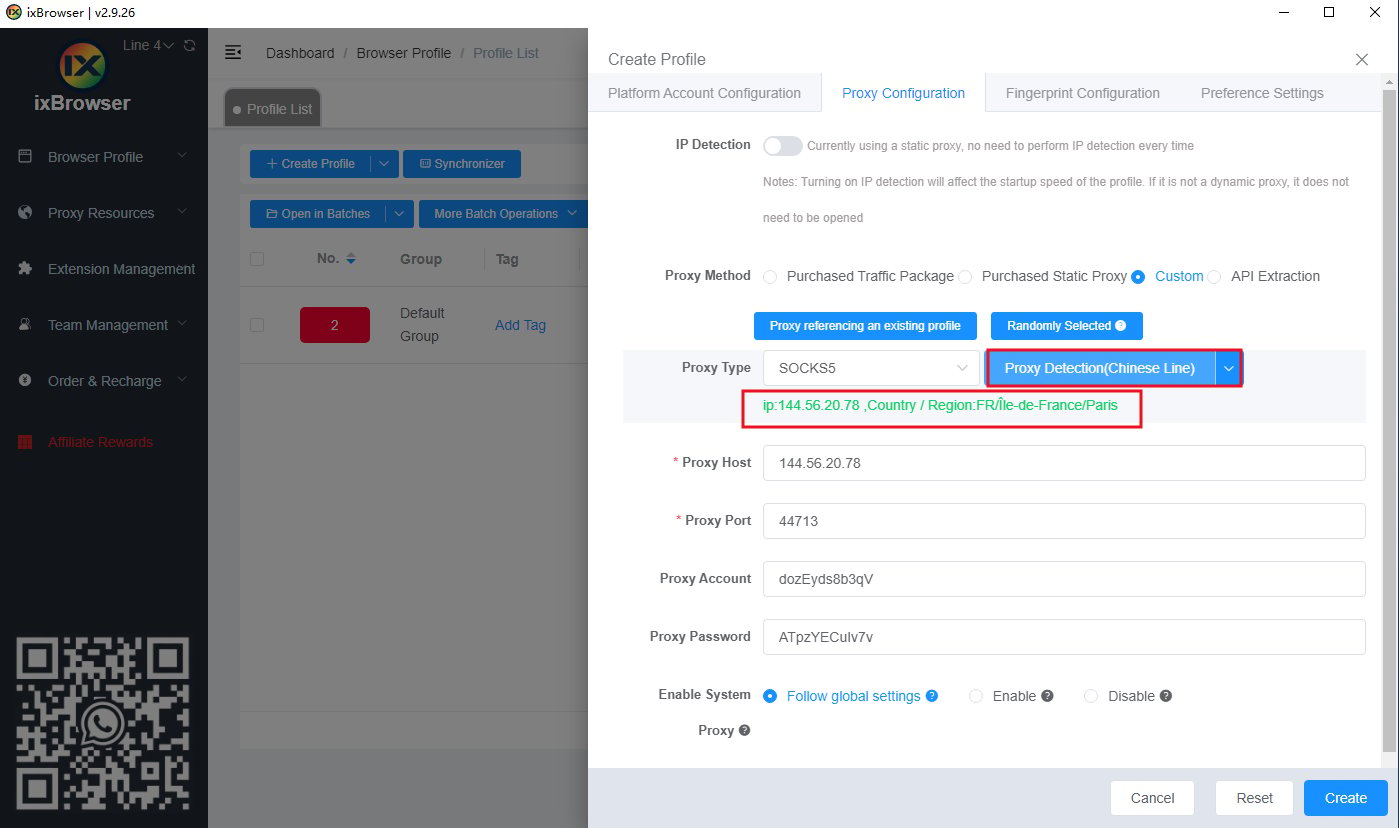
- Click Test Network, then click Create Now.
Anti-Detect Browser Proxy Integration Guide
ixBrowser
Before configuration, please obtain an IP from YumiProxy first and ensure the proxy settings are correct to guarantee normal operation.
Was this page helpful?