

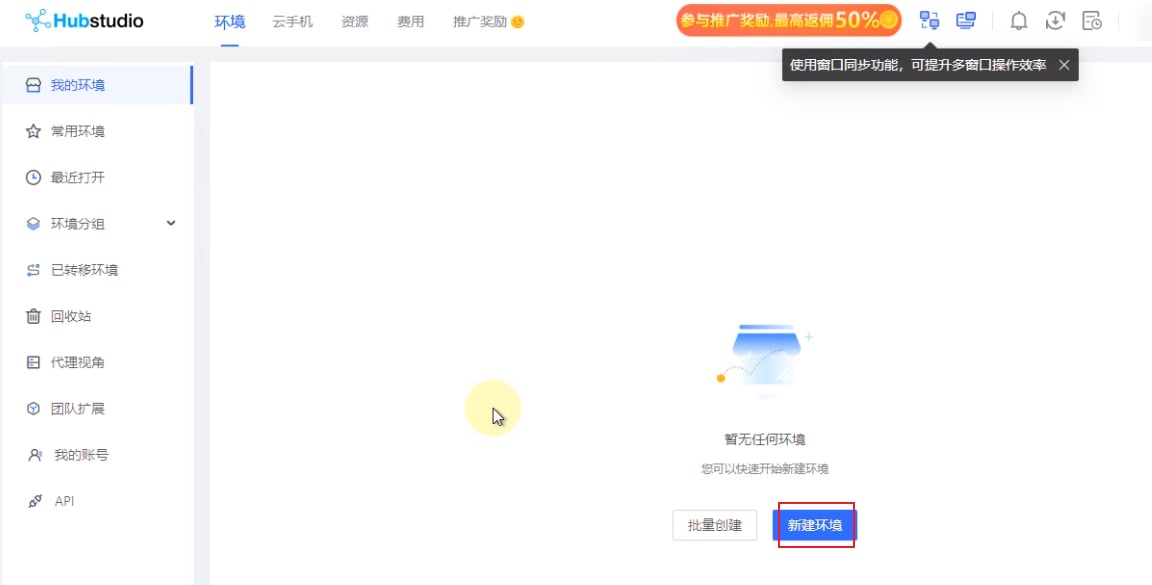
- Open Hubstudio and click New Profile.
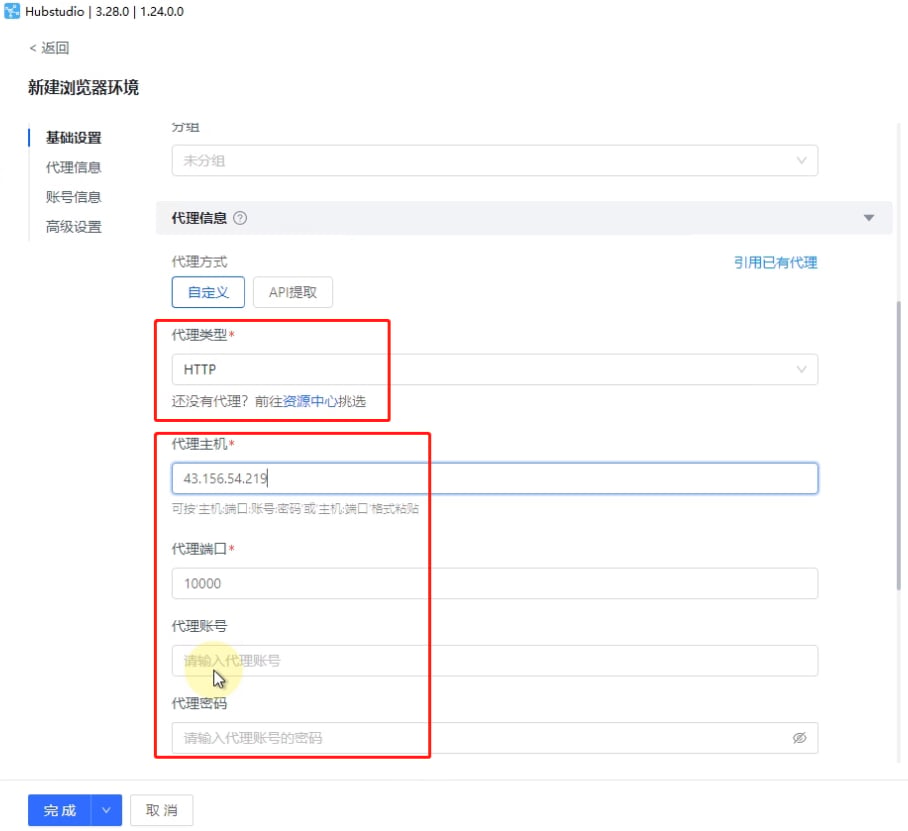
- Select the proxy type. For example, for API access, enter the host and port copied from YumiProxy. If you choose username/password authentication, fill in the proxy account and password as well.
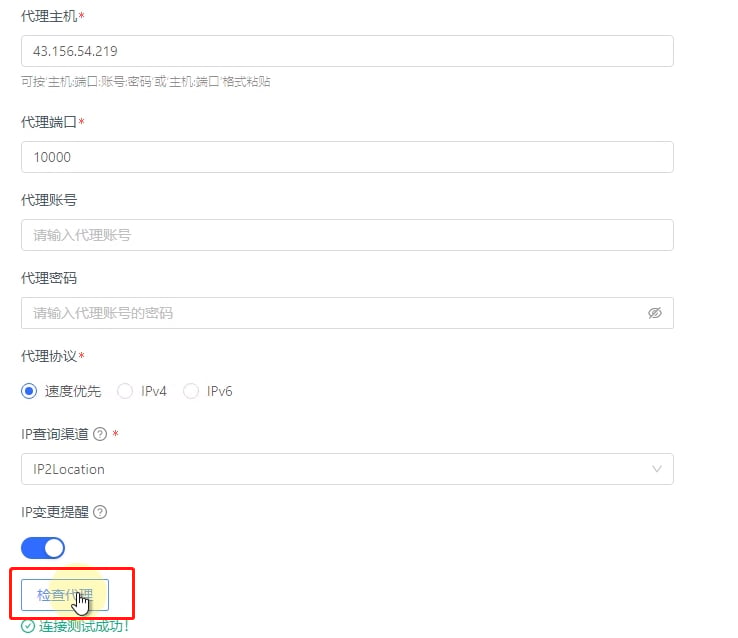
- Finally, click Check Proxy. Once the test succeeds, click Finish to start using the profile.
Anti-Detect Browser Proxy Integration Guide
Hubstudio
Before configuring a proxy in Hubstudio, please ensure your proxy settings are correct to guarantee smooth operation.
Was this page helpful?