

- First, download and install RoxyBrowser on your device.
- Open it and register or log in to your account.
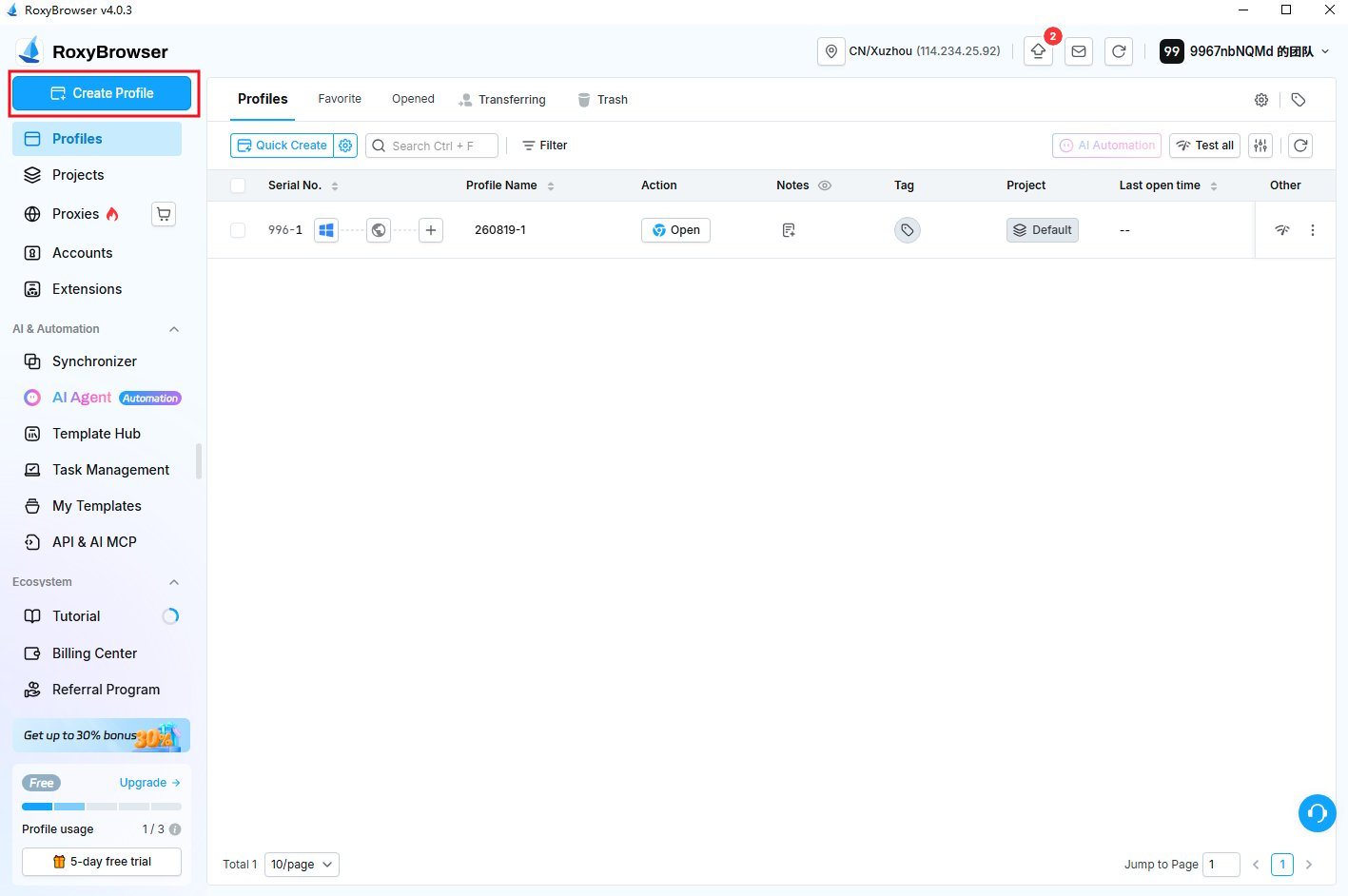
- Then click the Create Window button to add a new profile.
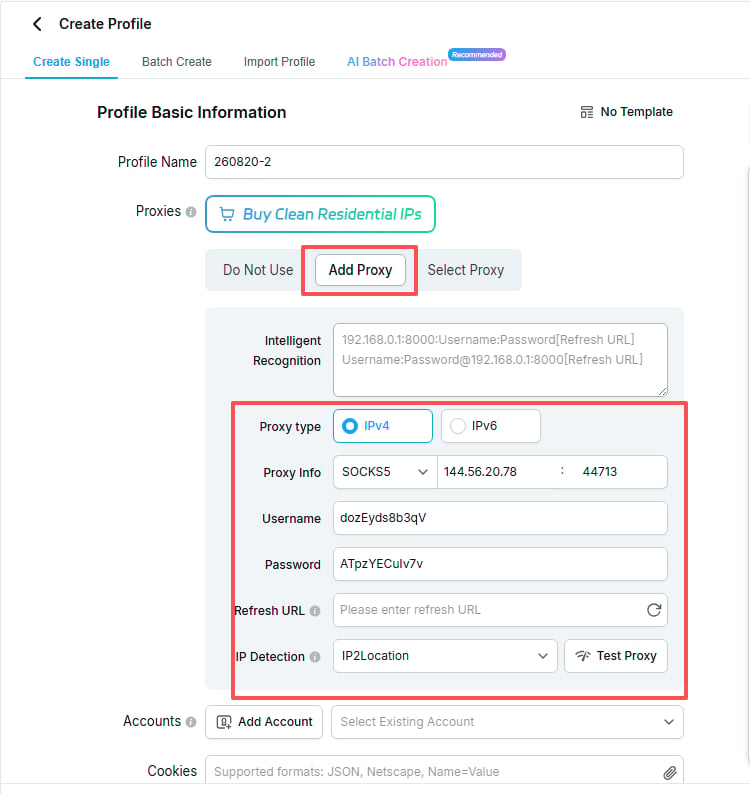
- Next, in the Add Proxy IP section, fill in all necessary information for the proxy connection.
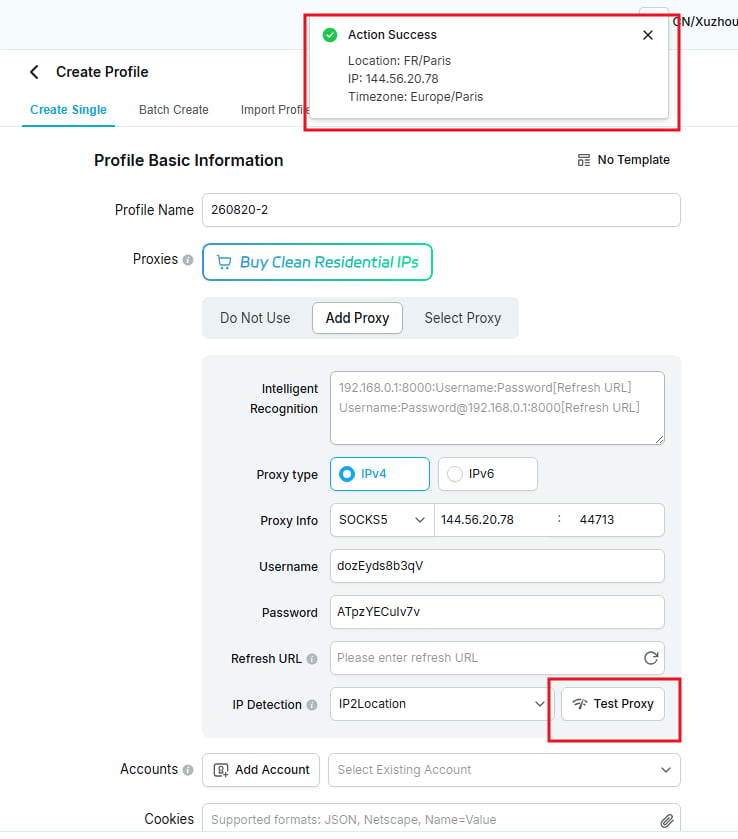
- After filling in all proxy connection details, you can click the Test Proxy IP button to check if the proxy is working properly.
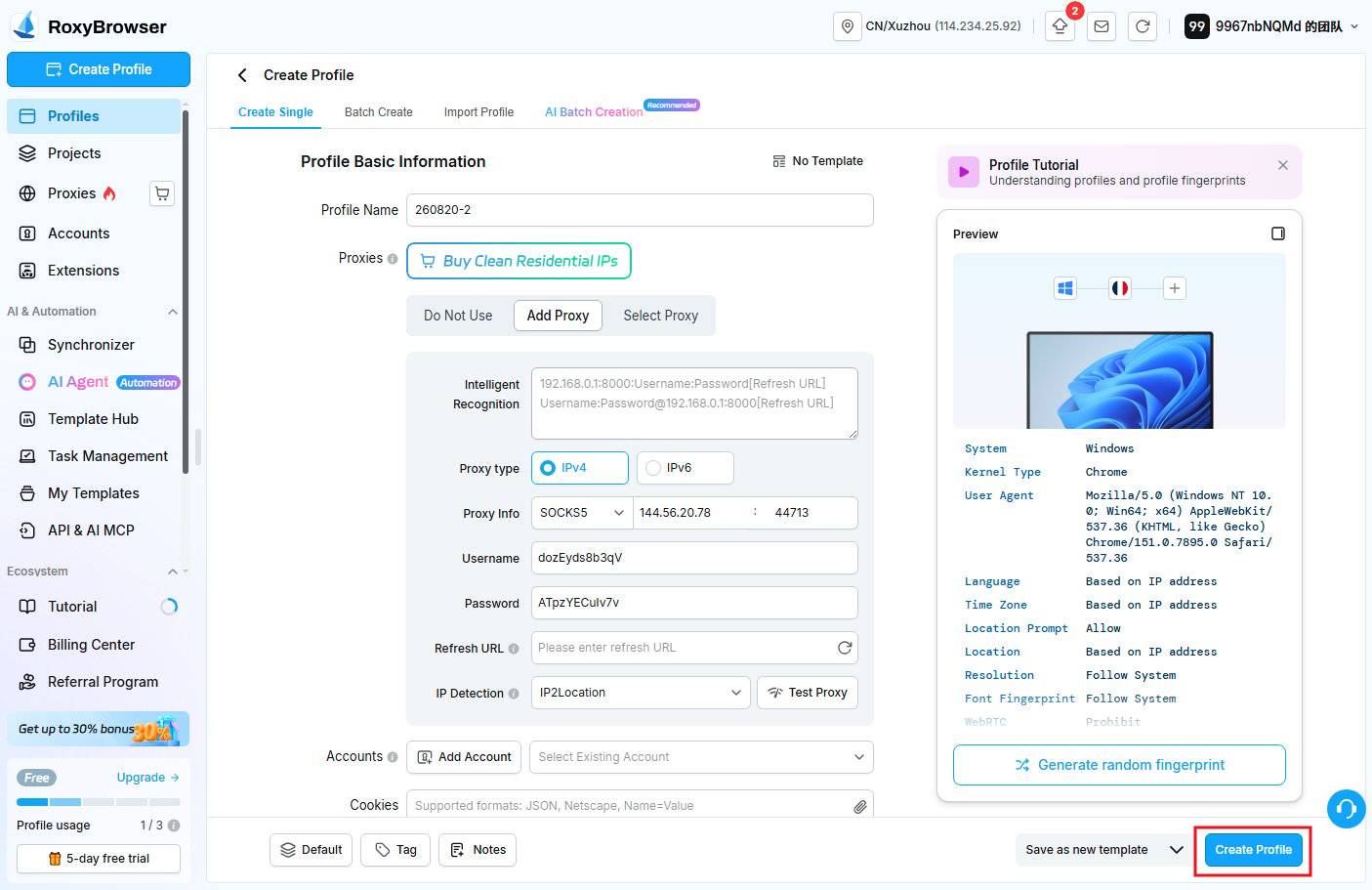
- The proxy configuration process is now complete. If you need to modify any other settings, make the necessary changes and click the Create Window button to save your profile.
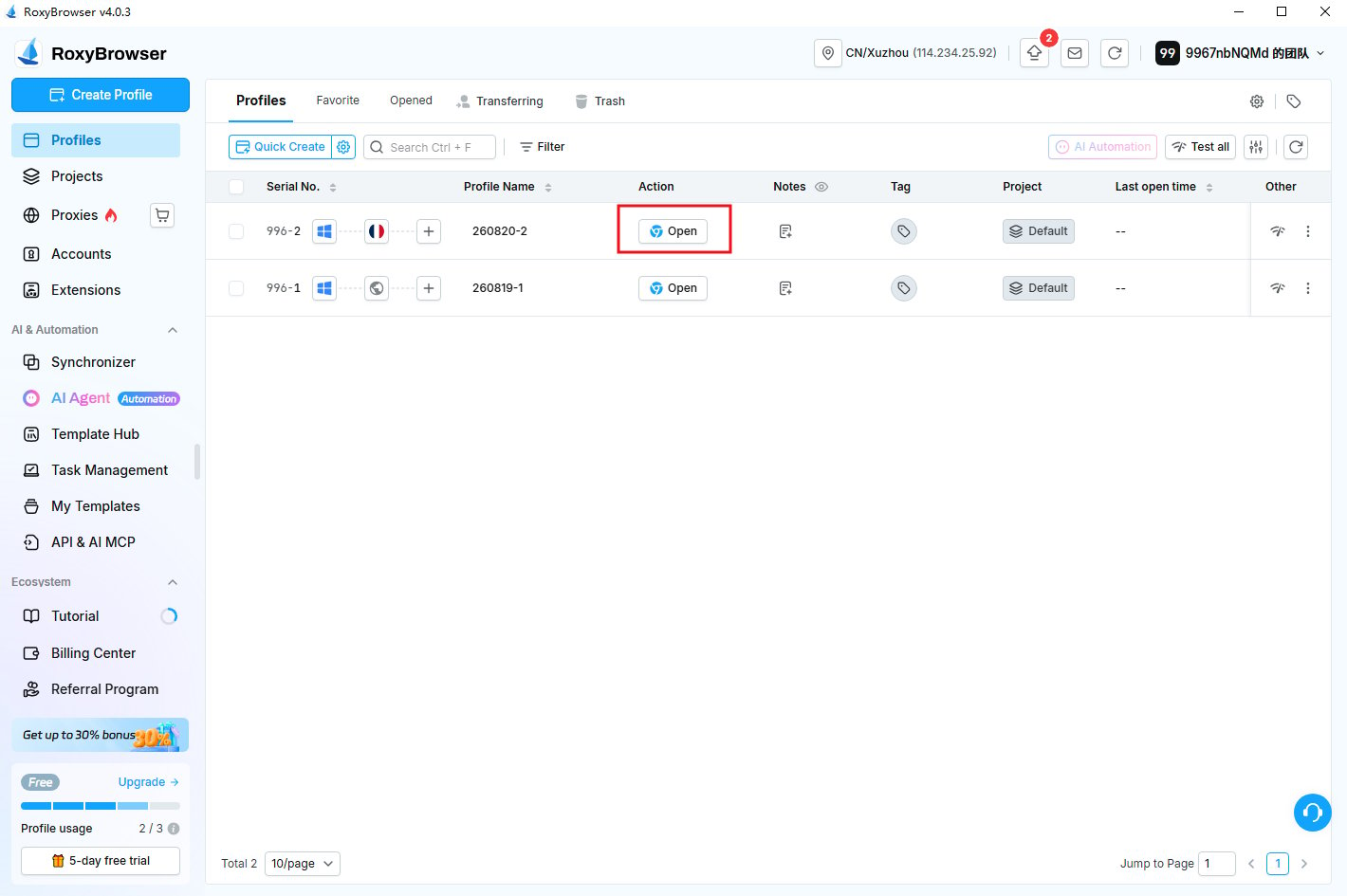
- To launch the profile you created, simply click the Open Window button.
Anti-Detect Browser Proxy Integration Guide
RoxyBrowser
To configure YumiProxy in RoxyBrowser, simply follow these steps:
Was this page helpful?