

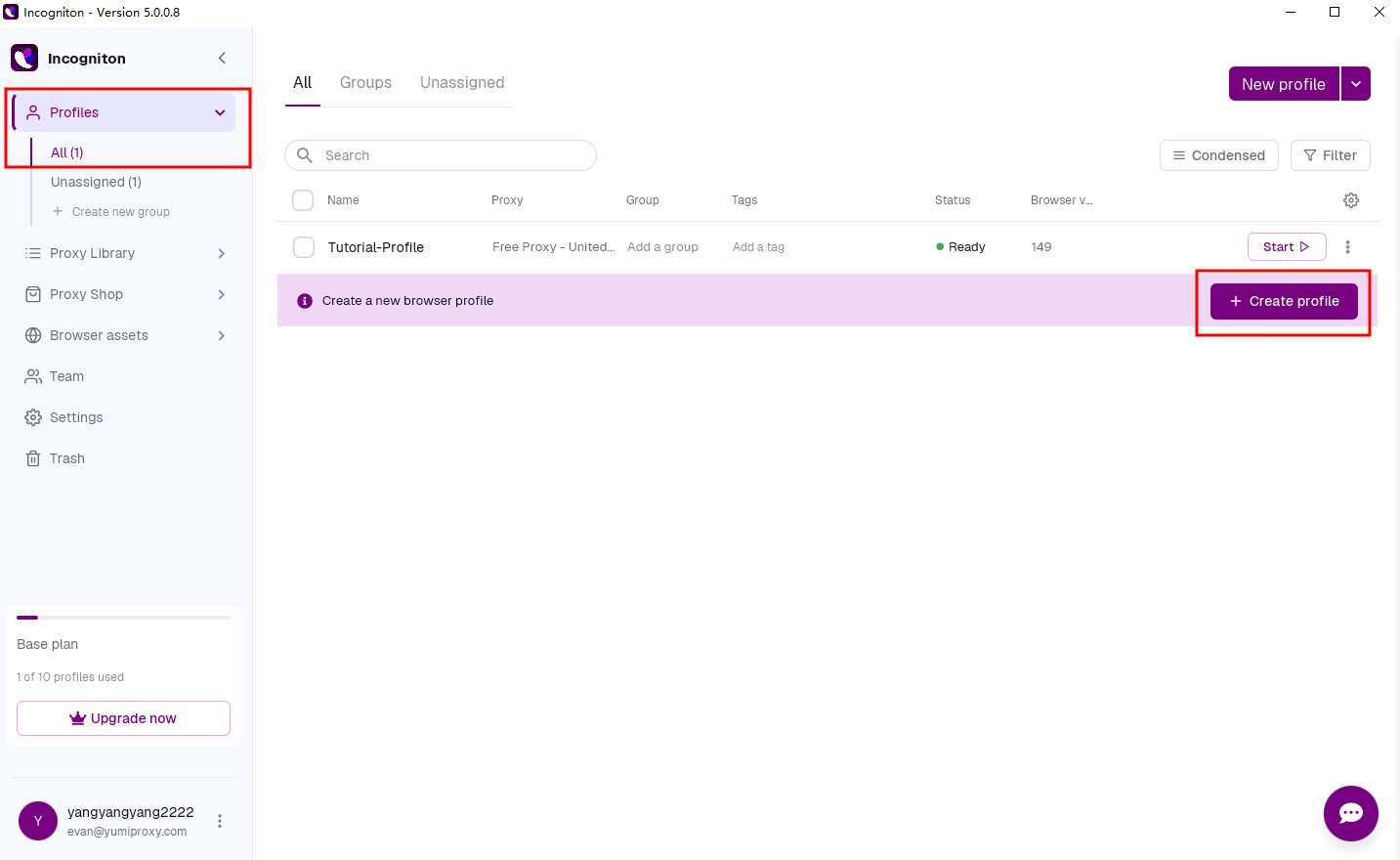
- Open the Incogniton dashboard and click the “Create Profile” button to enter the profile creation page.
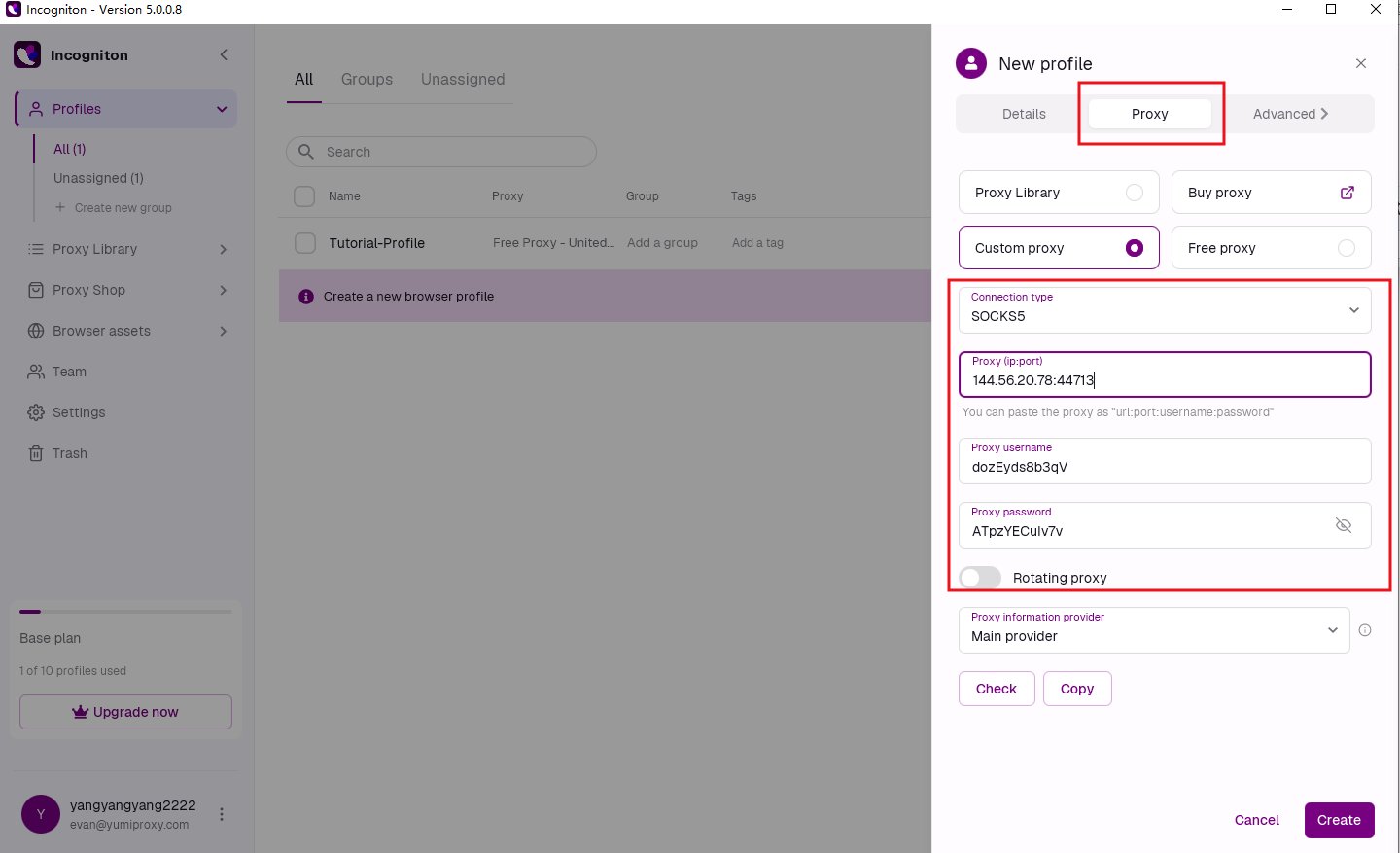
- Open the “Proxy” tab, select “Custom Proxy”, and enter the proxy username and password.
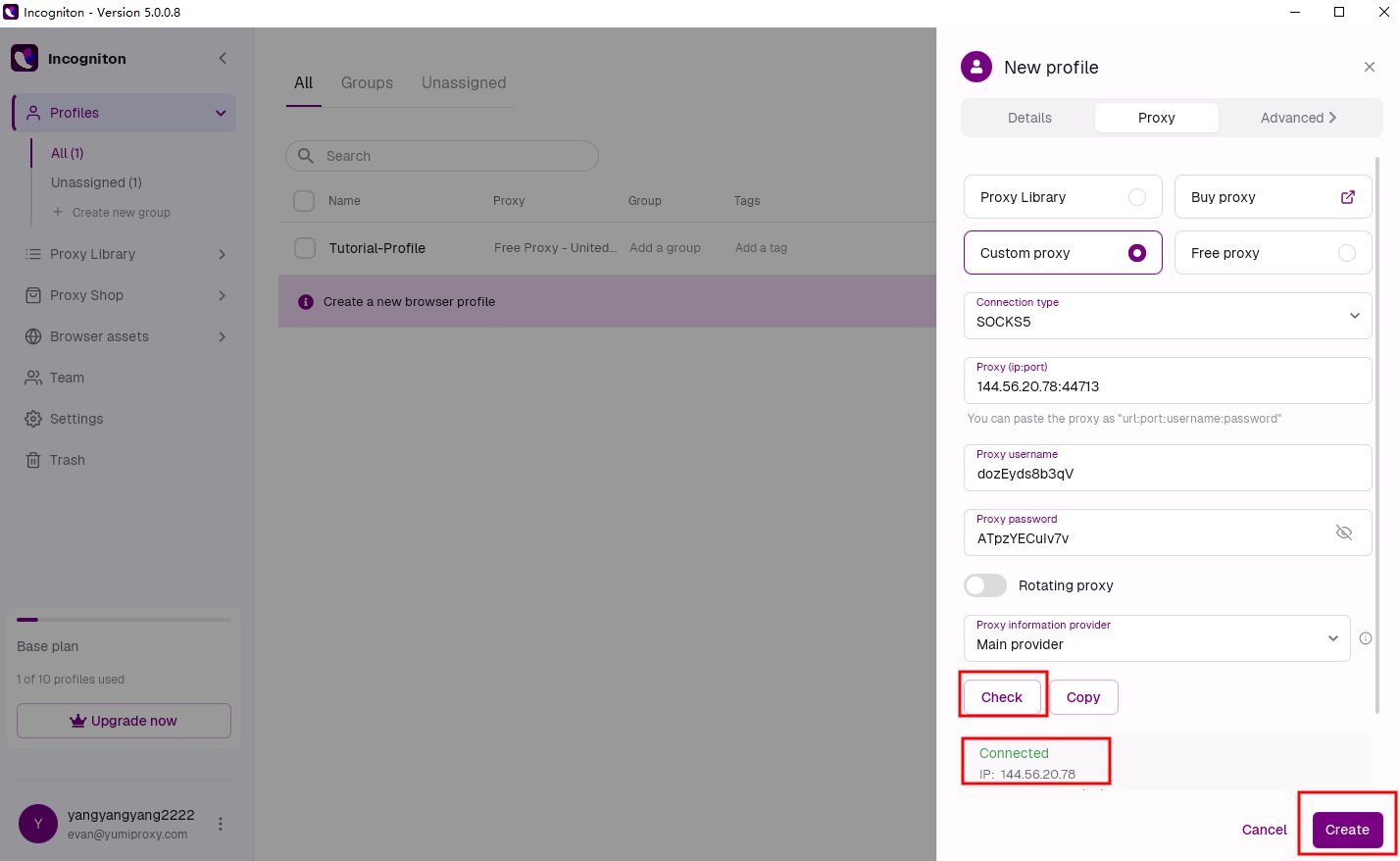
- After entering the proxy details, click the “Check Proxy” button to verify the connection. Once successful, click “Confirm” to save.
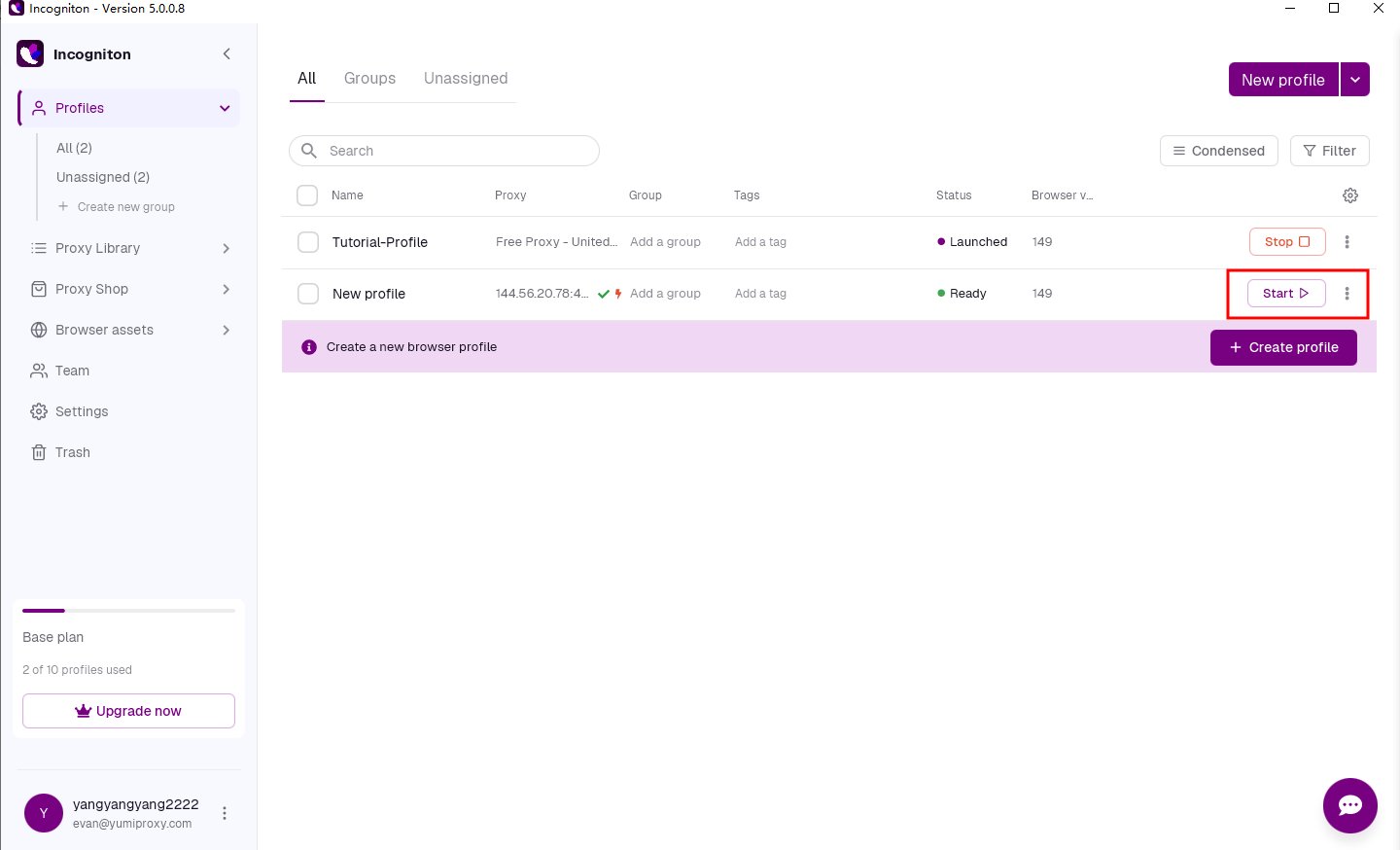
- Click the “Launch” button next to the profile to open a browser window with an independent digital fingerprint and proxy settings.
Anti-Detect Browser Proxy Integration Guide
Incogniton
To configure YumiProxy in RoxyBrowser, simply follow these steps:
Was this page helpful?